
Ah, Twitter—the land of hashtags, retweets, and, let’s be honest, an overwhelming urge to scroll endlessly. If you’ve ever found yourself lost in the abyss of Twitter instead of actually posting anything, you’re not alone. Enter the hero of our story: automated Twitter posting. It’s like having a trusty sidekick who tweets for you while you focus on more important things—like deciding what your cat’s next viral photo shoot will look like. And guess what? Content Generator is here to save the day, one scheduled tweet at a time.
📌 Quick Answers
What is automated Twitter posting?
Automated Twitter posting uses software like Content Generator to create and schedule tweets without manual posting. It combines AI-generated text and images with timing optimization, allowing you to publish consistently across Twitter (X) and other platforms. This saves time while maintaining engagement.
How do I set up automated Twitter posting with Content Generator?
First, connect your X (Twitter) account to Content Generator. Then link any other platforms you use. Create a content batch from your website or CSV, customize post templates, and choose a posting schedule. Content Generator will generate, optimize, and publish posts automatically on your chosen times.
What are the benefits of automated Twitter posting for small businesses?
Automated posting increases consistency, saves hours weekly, and improves reach with platform-optimized content. Content Generator also creates AI-generated images and captions, helps you schedule across multiple networks, and tracks performance, enabling scalable, professional Twitter marketing without extra headcount.
What are best practices for automated Twitter posts?
- Mix text with images or threads for higher engagement
- Use platform-optimized character limits (240–280 chars) and hashtags
- Schedule for peak times based on your audience
- Review AI-generated content for accuracy and brand tone
- Rotate content to avoid repetition every 4 weeks
Common mistakes with automated Twitter posting
- Overposting at once, flooding followers’ feeds
- Ignoring platform guidelines and image size requirements
- Relying on generic AI copy without brand voice tweaks
- Not reviewing scheduled posts before publishing
Why Automated Twitter Posting is a Game-Changer
So why should you care about automating your Twitter posts? Well, imagine never having to remember to tweet again. Sounds dreamy, right? According to Buffer’s Social Media Scheduling Guide, consistent posting is key to growing your social media presence. Automated Twitter posting ensures your content reaches your audience when they’re most active, without you needing to pause your Netflix binge.
- Efficiency: Schedule tweets in advance and eliminate the daily hassle.
- Consistency: Maintain a steady online presence even on weekends or holidays.
- Reach: Post during peak engagement times without lifting a finger.
The Magic Behind Content Generator
This is where Content Generator becomes your new best friend. It’s like having a personal assistant who knows the ins and outs of Twitter better than anyone. Let’s dive into how this magical platform can transform your social media strategy:
1. Automated Content Creation
Ever feel like you’re scraping the bottom of the creativity barrel? Content Generator’s AI-powered text generation feature crafts tweets that are not only engaging but also aligned with your brand voice. No more staring blankly at the screen wondering if “It’s 5 o’clock somewhere” is really the best you can do.
2. Advanced Scheduling System
Remember those peak engagement times we talked about? Content Generator’s advanced scheduling system uses analytics to pinpoint the best times for your tweets to go live. And if you’re managing multiple accounts, the multi-platform support ensures your Twitter, Instagram, and Facebook are all synced up like a well-rehearsed dance routine.
3. Bulk Content Creation
Got a blog or website loaded with amazing content? Content Generator can scrape your site and turn that content into a plethora of tweets faster than you can say “SEO.” This bulk creation feature means you can spend more time doing what you love and less time worrying about filling your Twitter feed.
How to Get Started with Automated Twitter Posting
Feeling convinced but not sure where to begin? Let me break it down for you:
- Sign Up: Head over to Content Generator and sign up for an account. It’s quick and painless, unlike that 7 AM yoga class.
- Set Up Your Account: Connect your Twitter account to start scheduling posts. Check out our detailed Twitter automation guide for step-by-step instructions.
- Create Content: Use the platform to generate and schedule your tweets. You’ll be amazed at how much time you save.
- Analyze Results: Monitor your engagement and tweak your strategy as needed. For more tips, our Twitter marketing automation article is a must-read.
Common Pain Points Solved by Content Generator
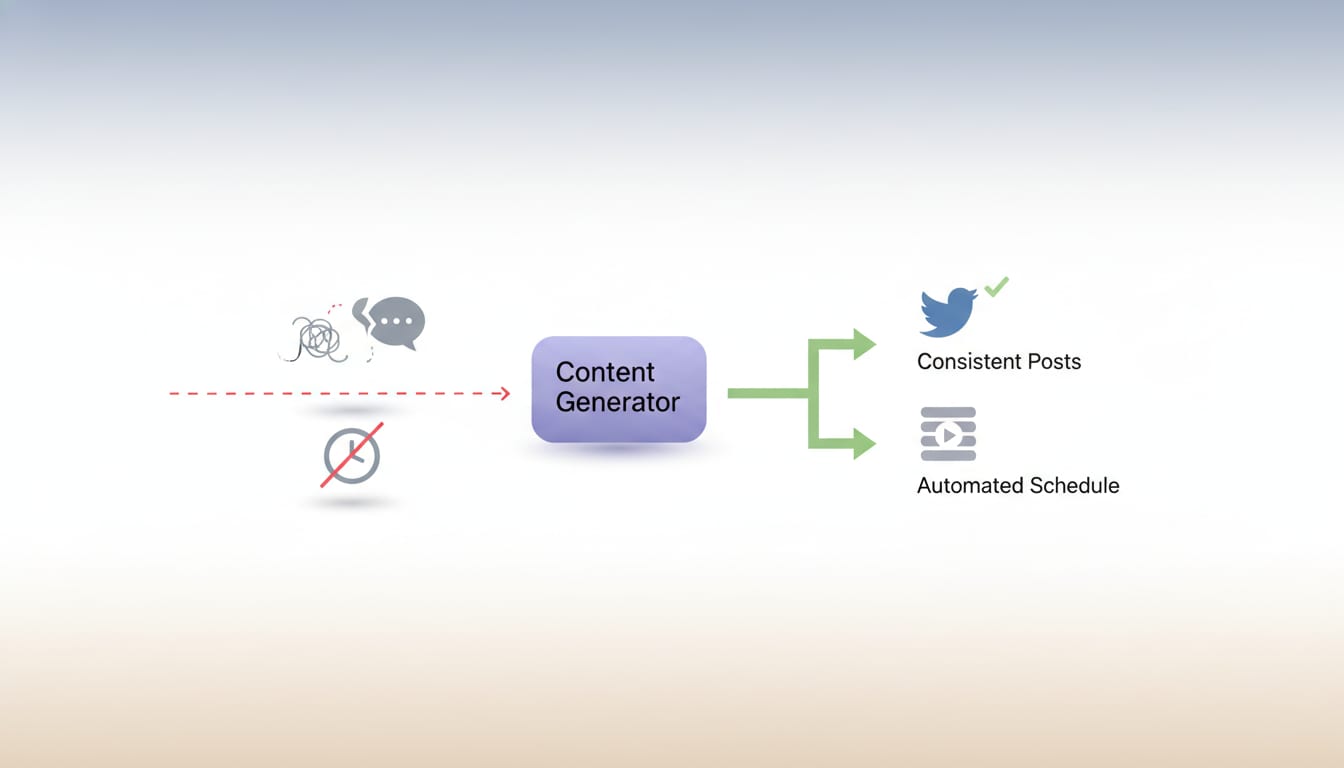
Let’s address the elephant in the room: pain points. Here are a few common frustrations that Content Generator solves with ease:
- Time Management: Say goodbye to the stress of last-minute posts. Automation lets you plan ahead.
- Content Variety: Struggling with what to post? The platform’s AI-generated content keeps things fresh and exciting.
- Engagement Optimization: With automated scheduling, your posts hit the mark every time.
According to Sprout Social’s 2024 report, 50% of consumers follow brands on social media to learn about new products or services. With Content Generator, your brand’s message is always on point and on time.
The Bottom Line
In today’s fast-paced digital world, automated Twitter posting isn’t just a luxury—it’s a necessity. And with Content Generator, you’re equipped with the tools to make your Twitter strategy more efficient, effective, and downright enjoyable. Ready to stop manually posting and start actually living? Give Content Generator a spin—your future self will thank you. Remember, it’s not just about keeping up with the trends; it’s about setting them.
So, what are you waiting for? Head over to Content Generator and let the magic of automation transform your Twitter experience. Who knows? Your next viral tweet could be just a click away.

