
Your website is full of social media posts wearing tiny disguises. Blog articles, product pages, case studies, landing pages, FAQs, tutorials, announcements—each one is basically whispering, “Please turn me into a LinkedIn post before I fossilize.” That is exactly where automatic website social sharing comes in: it turns your existing website content into scheduled social posts without requiring you to manually copy, paste, resize, rewrite, and question your life choices at 11:47 p.m.
If you have ever published a great blog post and then shared it once on social media like a digital shrug, this guide is for you. We are going to break down how automatic website social sharing works, how to set up smart workflows, how to format content for different platforms, how to schedule without becoming a robot, and how tools like Content Generator can turn your website into a reliable social content engine. No wizard hat required. Although, emotionally, it helps.
What Is Automatic Website Social Sharing, Really?
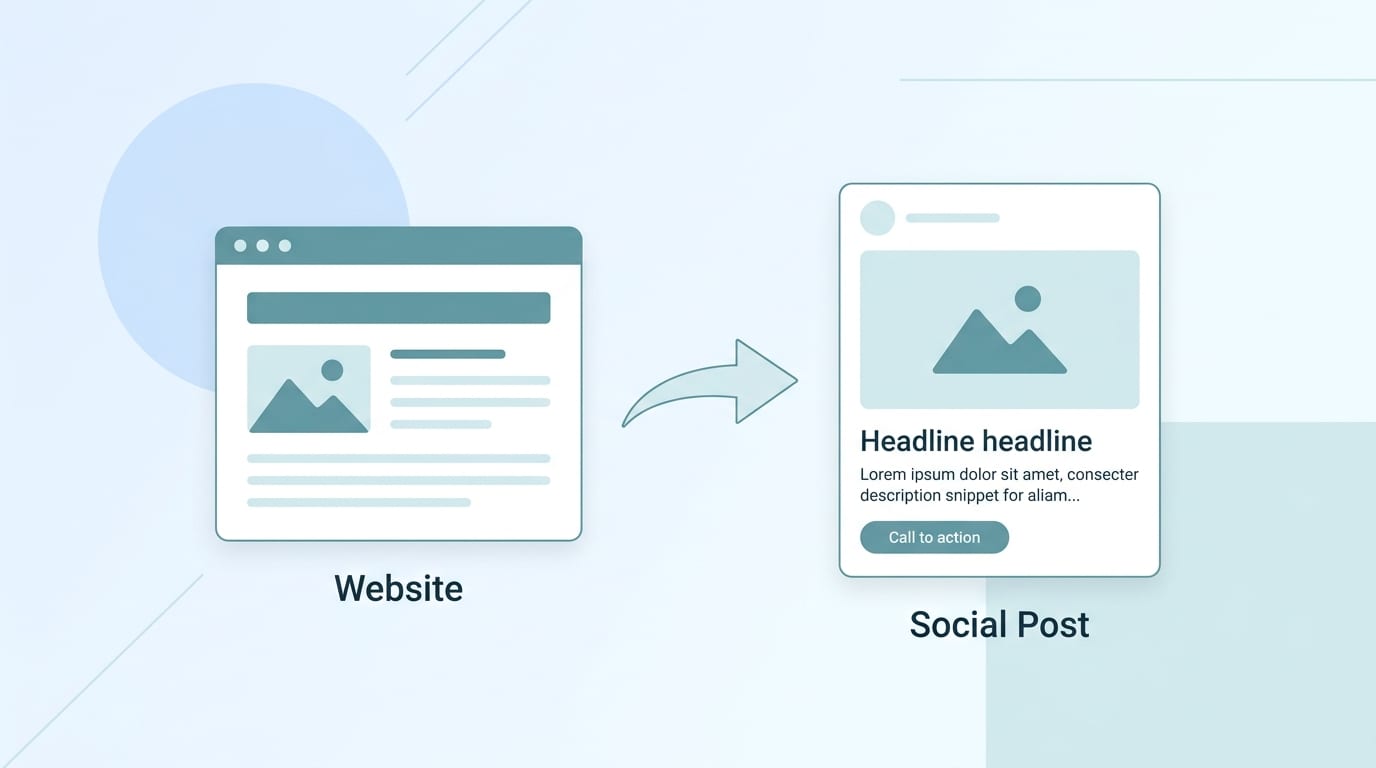
Automatic website social sharing is the process of taking content from your website and automatically converting it into social media posts that can be scheduled or published across platforms like LinkedIn, Facebook, Instagram, Pinterest, and X. The goal is not just “post my URL everywhere and hope the algorithm gives me a cookie.” The goal is to create platform-ready content that keeps your brand visible, consistent, and useful.
At its simplest, this could mean automatically sharing a new blog post to your Facebook page. At its most useful, it means scraping your website content, extracting key ideas, generating multiple social captions, creating visuals, applying templates, scheduling posts for weeks ahead, and tracking performance. That is the difference between tossing a flyer into the wind and running an actual social media operation.
According to HubSpot’s marketing statistics, social media remains one of the top channels marketers use to distribute content and engage audiences. But the annoying little goblin hiding in the corner is this: consistency is hard. Most businesses do not struggle because they have no content. They struggle because their content is scattered, underused, and not repurposed efficiently.
This is where Content Generator becomes your new best friend—the kind that brings snacks and knows how to use spreadsheets. It can scrape content from your website, generate social posts in bulk, create AI-powered visuals, apply custom templates, and schedule everything across multiple platforms. In other words, your website stops being a static brochure and starts acting like a content vending machine. Press button, receive posts.
Why Your Website Is the Most Underrated Social Media Asset
Most businesses treat their website and social media like two separate planets. The website is “serious business territory,” full of polished pages and conversion funnels. Social media is “chaotic raccoon territory,” where you post tips, updates, memes, and occasionally wonder why the intern used eleven emojis in one caption.
But your website is often your richest source of social content. It already contains your expertise, offers, differentiators, customer education, product details, thought leadership, and proof points. Automatic website social sharing simply helps you squeeze more value out of what you have already created.
Here are common website content types that can become social posts:
- Blog posts turned into educational carousels, quote posts, and teaser captions
- Product pages turned into feature spotlights and benefit-driven posts
- FAQs turned into quick tips, myth-busting posts, and short-form educational content
- Case studies turned into proof-based LinkedIn updates or Facebook posts
- Landing pages turned into promotional campaigns with different angles
- How-to guides turned into step-by-step threads, checklists, or Pinterest pins
- Testimonials turned into trust-building social proof graphics
If you want a deeper dive into this exact workflow, Content Generator has a practical guide on how to scrape a website for social media content. It explains how to pull reusable ideas from your site instead of staring at a blank caption box like it owes you money.
The beauty is that your website content is already brand-approved. It has your positioning, your voice, your offers, and your expertise. Automatic sharing does not mean you are creating random filler. It means you are distributing existing value more intelligently.
The Big Benefits: Less Panic, More Posting
Let’s be honest. Social media management can feel like feeding a dragon that only eats fresh content and passive-aggressively ignores half your posts. Automatic website social sharing helps you feed the dragon without sacrificing your entire workday.
The first major benefit is time savings. Manually repurposing one blog post into social content can take hours. You read the article, pull key points, write captions, create visuals, resize assets, decide where each post goes, and schedule everything. Multiply that by every page or article on your site and suddenly you are living inside a spreadsheet wearing a haunted expression.
With Content Generator, bulk content creation from website scraping handles the heavy lifting. You can turn website URLs into batches of social posts in seconds. That means a blog article can become a LinkedIn post, an X update, a Facebook caption, an Instagram caption, and a Pinterest idea much faster than doing it manually. This is not laziness. This is operational sanity.
The second benefit is consistency. Social media algorithms tend to reward steady posting and engagement. According to Sprout Social’s guidance on social media content strategy, a strong strategy depends on planning, audience understanding, content formats, and performance measurement. Automation supports the planning part by making sure your accounts do not go silent whenever life gets busy, someone goes on vacation, or the office coffee machine enters its villain era.
The third benefit is better content utilization. Many businesses publish blogs, guides, and product pages that get one promotional post and then vanish into the content basement. Automatic website social sharing helps evergreen content keep working. A helpful tutorial from six months ago can still generate clicks, leads, and brand awareness today if it is resurfaced in the right way.
The fourth benefit is scalable quality. Good automation does not mean blasting the same caption everywhere. It means adapting the message for each platform. Content Generator’s AI-powered text generation and template builder make it easier to produce posts that look and sound intentional, not like a copy-paste goblin escaped into your brand account.
How to Set Up an Automatic Website Social Sharing Workflow
A good workflow is the difference between useful automation and digital spaghetti. You want a repeatable system that turns website content into polished, scheduled social posts with minimal friction.
Step 1: Choose the website content worth sharing
Not every page deserves a social campaign. Your privacy policy is important, but please do not turn it into an Instagram carousel unless your brand is legally unhinged. Start with content that educates, persuades, entertains, or answers common customer questions.
Prioritize:
- High-performing blog posts
- Evergreen educational articles
- Product or service pages with clear benefits
- Case studies and testimonials
- Pages that support active campaigns
- New announcements or updates
If you are not sure where to start, look at your website analytics. Which pages already attract traffic? Which ones convert? Which posts explain something your audience cares about? Those are prime candidates for automatic website social sharing.
Step 2: Extract the key ideas
A single website page can produce multiple social posts. For example, a blog post titled “10 Ways to Improve Email Open Rates” could become:
- A LinkedIn post about the biggest mistake businesses make with subject lines
- An X thread with 10 quick tips
- A Pinterest pin linking to the full guide
- An Instagram carousel summarizing the top five tactics
- A Facebook post asking followers what email tactics they use
Content Generator helps by scraping the page and using AI to generate post variations. Instead of manually highlighting paragraphs like a college student during finals week, you can quickly create multiple angles from the same source material.
Step 3: Match content to platforms
Each platform has its own personality. LinkedIn likes insights and professional value. Instagram wants visuals and concise captions. Pinterest loves evergreen, searchable ideas. X rewards punchy takes and timely commentary. Facebook works well for community-friendly updates, links, and conversation starters.
Automatic social sharing works best when you customize content by platform rather than spraying identical posts everywhere. This is why multi-platform support matters. Content Generator supports Pinterest, X, Instagram, Facebook, and LinkedIn, so you can build a workflow that adapts content instead of cloning it like a confused sci-fi experiment.
Step 4: Schedule and recycle intelligently
Once your posts are generated, schedule them at appropriate times and spread them out. You do not want to publish twelve posts from the same blog article in one afternoon unless your goal is to make followers gently mute you.
Content Generator’s advanced scheduling system and automated recurring content every four weeks make this especially useful for evergreen website content. A timeless guide can be reshared periodically with fresh captions, new images, or different hooks. Your best content deserves more than one lonely social post and a tiny funeral.
Formatting Tips: Make Each Platform Feel Special
Automatic website social sharing is not just about volume. It is about packaging. The same idea can succeed or flop depending on how it is formatted for the platform. Social users are skimmers, scrollers, and professional thumb athletes. Make their lives easy.
LinkedIn: Lead with the insight
LinkedIn users want practical value, strong opinions, lessons learned, and professional takeaways. When sharing website content on LinkedIn, do not just post the title and URL. Open with a hook that addresses a pain point or surprising truth.
Example:
“Most businesses do not need more content. They need to stop abandoning the content they already paid to create.”
Then expand with two or three short paragraphs and include the link naturally. LinkedIn posts often perform better when they feel like a mini-lesson rather than a billboard wearing a suit.
Instagram: Visual first, caption second
Instagram is not the place to paste a 900-word blog excerpt and call it a day. Use your website content to create carousels, quote graphics, tips, or short captions that point people toward the full resource. Content Generator’s AI image generation powered by Google Gemini and custom template builder can help turn website ideas into visual posts quickly.
Use templates to keep your brand consistent. Fonts, colors, layouts, and image styles matter. Consistency builds recognition, and recognition is basically trust wearing a nice jacket.
Pinterest: Think evergreen discovery
Pinterest is more search engine than social network in many ways. It is excellent for tutorials, guides, checklists, recipes, design ideas, business tips, and evergreen blog content. When using automatic website social sharing for Pinterest, create pin titles and descriptions with searchable phrases. Your blog post can live longer there than it might on fast-moving feeds.
For more ideas on converting your website into platform-ready social content, check out Content Generator’s guide on turning website pages into social media posts. It is a handy companion if you want to stop underusing your site content like it is some dusty attic furniture.
X: Be brief, sharp, and repeatable
X is built for concise thoughts, hooks, links, and fast-moving conversation. A website article can become several short posts or a thread. Pull statistics, punchy claims, controversial-but-true observations, or quick tips.
Example:
“Your blog post is not done when you hit publish. It is done when you have repurposed it into 10+ social assets and scheduled the follow-up. Publish less. Distribute better.”
Facebook: Invite interaction
Facebook works well for community-driven content, discussion prompts, local updates, and link sharing with context. Use website content to ask questions, share practical advice, or start conversations. Do not just shout links into the void. The void has enough problems.
Scheduling Strategy: Automate Like a Human, Not a Toaster
Automation is powerful, but bad automation is very loud. The goal is to create a posting rhythm that feels intentional. You want to show up consistently without turning your accounts into a robotic confetti cannon.
Start by defining your posting frequency. This depends on your team size, content library, audience, and platforms. According to Hootsuite’s research on how often to post on social media, recommended posting frequency varies by platform, and brands should balance consistency with quality. Translation: do not post garbage just because your calendar has empty squares.
A practical weekly schedule might look like this:
- Monday: Share a blog insight on LinkedIn
- Tuesday: Post a Pinterest pin from an evergreen guide
- Wednesday: Share an Instagram tip graphic based on a product page
- Thursday: Post an X thread summarizing a recent article
- Friday: Share a customer-focused Facebook post from a case study
Then use recurring automation to resurface evergreen content every few weeks. Content Generator’s automated recurring content every four weeks is ideal for this because it keeps your best website content in rotation without you needing to remember it exists. Because let’s be honest, you forgot about that excellent blog post from February. It had feelings.
Also, stagger your posts. If you generate 50 posts from your website in one sitting, do not publish them all at once. Schedule them over several weeks or months. This creates a steady content pipeline and prevents your audience from feeling like they are being chased by a marketing leaf blower.
How Content Generator Makes Automatic Website Social Sharing Ridiculously Easier
There are many tools that can schedule posts. That is useful. But automatic website social sharing requires more than a calendar. You need a system that can transform website content into social-ready assets quickly, consistently, and across platforms. This is where Content Generator stands out.
Here is what makes it especially practical:
- Website scraping: Pull content directly from your website pages and turn it into post ideas without manual copying.
- Bulk content creation: Generate many social posts at once from existing website content.
- AI-powered text generation: Create captions, hooks, summaries, and platform-specific post variations.
- AI image generation: Use Google Gemini-powered image creation to build visuals that match your content.
- Template builder: Apply custom designs so posts look polished and on-brand.
- Multi-platform publishing: Create and schedule posts for Pinterest, X, Instagram, Facebook, and LinkedIn.
- Recurring automation: Automatically recycle evergreen content every four weeks.
- CSV import: Upload larger content plans or structured campaigns for fast scheduling.
Look, I’ll be real with you: the magic is not just “AI writes captions.” The magic is workflow compression. Content Generator does in seconds what usually takes hours: extract the idea, generate variations, pair it with visuals, apply branding, and schedule it. That is not just convenient. That is the difference between having a content strategy and having a content panic attack.
If you want to see more specifically how scraping supports social media automation, this guide on using a website scraper for social media walks through the concept in more detail. It is especially useful if your website has a large blog, ecommerce catalog, or resource library.
And if you are ready to explore the automation side directly, Content Generator’s social media automation features show how recurring content and intelligent workflows can keep your accounts active without forcing you to babysit every post like a nervous digital parent.
Analytics: Because “Vibes” Are Not a Reporting Strategy
Automatic website social sharing should not be a set-it-and-forget-it black hole. You still need to measure what works. Otherwise, you are just flinging content into the internet swamp and hoping a lead crawls out.
Track performance across platforms using metrics that connect to your goals. If your goal is awareness, look at reach, impressions, and follower growth. If your goal is traffic, track link clicks and website sessions. If your goal is engagement, watch comments, shares, saves, and reactions. If your goal is leads or sales, track conversions from social traffic.
According to Buffer’s guide to social media analytics, measuring social performance helps teams understand what content resonates and where to improve. This is especially important with automated workflows because you can quickly scale what works and stop repeating what does not.
Useful questions to ask monthly:
- Which website pages generated the most social engagement?
- Which platforms drove the most clicks back to the site?
- Which post formats performed best: tips, quotes, questions, carousels, or links?
- Which hooks got people to stop scrolling?
- Which topics should be added to the recurring content rotation?
- Which posts should be retired, rewritten, or redesigned?
Do not obsess over every tiny metric. A single underperforming post is not a tragedy. It is a data point. Put on your tiny lab coat and learn from it. Over time, analytics will reveal which website content deserves more promotion and which formats your audience actually likes.

Common Mistakes That Make Automation Weird
Automatic website social sharing is wonderful when done well. When done badly, it can make your brand sound like a fax machine discovered LinkedIn. Avoid these common mistakes.
Posting the same caption everywhere
Each platform has a different audience behavior and format. A LinkedIn thought leadership post should not be identical to an Instagram caption or Pinterest description. Reuse the idea, not the exact wording.
Automating low-quality pages
If a page is thin, outdated, confusing, or irrelevant, automation will not magically make it good. It will simply distribute the awkwardness faster. Refresh important website content before putting it into your social rotation.
Ignoring visuals
Text-only posts can work, especially on LinkedIn and X, but visuals help social content stand out. Use branded templates, AI-generated images, screenshots, charts, or quote graphics where appropriate.
Overposting promotional content
Your website may contain sales pages, but your social feed should not feel like a mall kiosk shouting at passersby. Balance promotional posts with educational, entertaining, and trust-building content. A healthy mix might be 60% educational, 20% engagement-focused, and 20% promotional.
Never updating recurring posts
Recurring automation is useful, but evergreen does not mean immortal. Review recurring content regularly. Update stats, refresh visuals, test new hooks, and remove outdated claims. The internet moves fast. Yesterday’s hot take can become today’s digital casserole.
A Simple 30-Day Plan to Start Automatic Website Social Sharing
If you are ready to begin but your brain is making dial-up modem noises, start small. You do not need to automate your entire website in one afternoon. Build a simple 30-day pilot.
- Pick 10 website pages: Choose your best blogs, product pages, guides, or FAQs.
- Create 3 social posts per page: Generate different angles: educational, promotional, and engagement-based.
- Adapt posts by platform: Format for LinkedIn, Instagram, Pinterest, X, or Facebook based on where your audience spends time.
- Create visuals: Use templates or AI images to produce branded assets for visual platforms.
- Schedule across 30 days: Spread posts out so your feed feels consistent, not frantic.
- Enable recurring content: Put evergreen posts into a four-week rotation where appropriate.
- Review analytics: At the end of the month, identify the top-performing pages, formats, and platforms.
- Scale what works: Add more website pages and refine your templates, hooks, and posting schedule.
With Content Generator, this plan becomes much easier because the platform is built for exactly this kind of workflow. You can scrape pages, generate post variations, create visuals, apply templates, and schedule everything from one place. If you are comparing approaches, this article on converting website content to social media posts offers another useful look at turning existing pages into ongoing social content.
The key is to start with a manageable batch, measure results, and improve. Automation is not about removing strategy. It is about removing repetitive grunt work so you can spend more time on strategy. And maybe lunch. Lunch matters.
Final Thoughts: Your Website Is Already Doing Half the Work
Automatic website social sharing is not some futuristic marketing luxury reserved for giant brands with 43-person content teams and a Slack channel named “synergy.” It is a practical way for businesses, creators, agencies, and marketers to get more value from the content they already own.
Your website is packed with reusable ideas. Your blog posts can become LinkedIn insights. Your product pages can become benefit-driven Instagram posts. Your FAQs can become quick tips. Your guides can become Pinterest pins. Your testimonials can become trust-building graphics. The trick is building a workflow that extracts those ideas, formats them properly, schedules them consistently, and measures what happens next.
That is why Content Generator is such a strong fit for automatic website social sharing. It combines website scraping, AI text generation, AI image creation, templates, bulk creation, multi-platform support, CSV import, advanced scheduling, and recurring automation. In plain human terms: it helps you create and schedule high-quality social posts in seconds, not hours. Your future self will be grateful. Possibly emotional. Maybe holding a tiny thank-you cake.
If your social media process currently involves too many browser tabs, random notes, forgotten blog posts, and the occasional whispered “I’ll post tomorrow,” it is time to upgrade. Start by turning a few website pages into scheduled social content. Test the workflow. Watch the data. Then scale it.
Your website is not just a destination. It is a content engine. Content Generator simply hands it the keys, fills the tank, and politely tells it to stop being shy.

