
Your Shopify store does not need “more marketing.” It needs a system. Big difference. More marketing is posting a blurry product photo at 11:47 p.m. while whispering, “Please buy my scented candle shaped like a frog.” A shopify marketing platform, on the other hand, is the organized engine that helps you attract shoppers, retarget window-lickers, recover carts, publish social content, measure what works, and keep your brand visible without turning your calendar into a haunted spreadsheet.
If you run a Shopify store, you already know the chaos: products to promote, emails to write, social posts to schedule, ads to test, abandoned carts to rescue, analytics to decode, and customers who ask whether your “midnight blue” hoodie is more blue or emotionally unavailable navy. Marketing gets messy fast.
This guide breaks down how to choose and use a shopify marketing platform step by step. We’ll compare key tool types, map workflows, show what to automate, explain what metrics matter, and help you build a practical system that boosts traffic and conversion rate without requiring you to become a caffeine-powered octopus.
What Is a Shopify Marketing Platform, Really?
A shopify marketing platform is a tool, or stack of connected tools, that helps Shopify merchants plan, create, launch, automate, and measure marketing campaigns. It usually connects with your Shopify store so it can use product data, customer behavior, order history, and audience segments to drive better campaigns.
That sounds fancy, but here’s the plain-English version: it helps you get the right products in front of the right people at the right time, preferably before your competitors do a tap dance across their inbox.
A good platform may include features like:
- Email and SMS marketing for newsletters, cart recovery, and customer retention.
- Social media publishing and scheduling for Instagram, Facebook, Pinterest, LinkedIn, X, and more.
- Ad campaign management for Meta, Google, TikTok, or Pinterest.
- Product feed optimization for catalogs and shopping campaigns.
- Customer segmentation based on purchases, browsing, and engagement.
- Analytics dashboards for traffic, conversion rate, revenue, and campaign performance.
- AI content generation for captions, visuals, product promos, and campaign ideas.
For Shopify brands, this matters because your products are not just sitting on a digital shelf. They need distribution. They need repetition. They need context. They need your audience to see them enough times to remember, trust, and eventually buy them. According to HubSpot’s marketing statistics, marketers continue to prioritize social media, short-form video, and automation because attention is fragmented and manual marketing does not scale gracefully. Manual marketing scales like a toddler carrying soup.
There are many Shopify-related marketing categories, and if you want a deeper dive into tool options specifically, Content Generator has already covered related areas in guides like Shopify marketing tools, Shopify marketing software, and Shopify marketing apps. This article focuses on the bigger question: how to choose and use the platform as a complete operating system for growth.
Why Shopify Stores Need a Marketing Platform Before They Need “More Hustle”
Let’s lovingly roast the phrase “just be consistent.” Yes, consistency matters. But consistency without systems is just stress wearing a motivational hoodie.
Shopify merchants usually hit the same wall: the store works, the products are good, the branding is cute enough to make a raccoon consider lifestyle photography, but marketing output is inconsistent. You post for three days, vanish for two weeks, send one email, run a discount, panic-refresh analytics, then wonder why traffic looks like a sad pancake.
A shopify marketing platform fixes this by creating repeatable workflows. Instead of rebuilding campaigns from scratch every time you launch a product or run a sale, you create templates, automations, segments, content calendars, and reporting loops.
Here’s what that changes:
- Traffic becomes intentional: You stop waiting for random discovery and start publishing across channels consistently.
- Conversions improve: Shoppers receive more relevant messages based on what they viewed, bought, abandoned, or ignored with theatrical flair.
- Customer retention gets easier: Repeat buyers are cheaper to reach than brand-new strangers, and your platform helps you nurture them.
- Creative production speeds up: AI-assisted content lets small teams act bigger without hiring a department called “People Who Make Captions.”
- Reporting becomes useful: You can see what campaigns drive sales instead of guessing based on vibes and moon phases.
Social commerce and content-led buying behavior are especially important for Shopify brands. Sprout Social’s social shopping research shows that consumers increasingly use social platforms to discover, evaluate, and buy products. That means your Shopify marketing platform should not only handle email and ads. It should help you publish attractive, frequent social content that points shoppers back to your store.
This is exactly where Content Generator fits into the Shopify ecosystem. It is not trying to be your payment processor, inventory manager, and emotional support llama. It specializes in what many Shopify stores struggle with most: creating, scheduling, and publishing high-quality social media content quickly across multiple platforms.
The Core Features to Look for in a Shopify Marketing Platform
Not all platforms are created equal. Some are sleek growth machines. Some are expensive dashboards with enough buttons to launch a confused spaceship. Before choosing, decide what you actually need.
1. Shopify integration and product data access
Your marketing platform should connect cleanly with Shopify or at least make it easy to import product information. The more efficiently it can use product names, URLs, descriptions, prices, and images, the faster you can build campaigns.
For example, if you sell 80 skincare products, you do not want to manually copy each product description into social captions. That is not entrepreneurship. That is digital potato peeling.
Content Generator helps by offering bulk content creation from website scraping. That means you can generate social posts from your website content and product pages instead of manually starting from zero. For Shopify stores with large catalogs, seasonal collections, or frequent product drops, this can save hours every week.
2. Multi-channel publishing
Customers do not live in one place. Some are on Instagram. Some search Pinterest for “minimalist bedroom ideas” and accidentally buy three blankets. Some scroll Facebook. Some lurk on LinkedIn pretending they are networking while looking at office mugs.
Your platform should support the channels that matter to your audience. Content Generator supports Pinterest, X, Instagram, Facebook, and LinkedIn, making it especially useful for Shopify brands that want recurring visibility without juggling five native posting interfaces.
3. AI-powered text and image creation
Modern ecommerce marketing needs speed and variety. You need captions, hooks, promotional angles, educational posts, product highlights, lifestyle concepts, and visuals. AI can help produce first drafts and creative variations quickly, especially when paired with human review.
Content Generator includes AI-powered text generation and AI image generation powered by Google Gemini. That combination is handy when you need fresh promotional content around product benefits, gift guides, seasonal campaigns, or “we swear this mug will improve your Monday by 11%” posts.
4. Scheduling and recurring automation
A platform should let you schedule content in advance and automate recurring campaigns. This prevents the dreaded “Oops, we forgot to post during our own sale” problem, which is tragically common and should have its own support group.
Content Generator’s advanced scheduling system and automated recurring content every 4 weeks are built for this. If you have evergreen products, bestsellers, testimonials, blog posts, or category promotions, you can keep them circulating automatically instead of resurrecting them manually like a marketing necromancer.
5. Templates and brand consistency
Brand consistency helps shoppers recognize you. A template builder allows your posts to maintain consistent layout, colors, fonts, and structure. Content Generator’s template builder with custom designs is useful here because Shopify brands often need repeatable creative formats: product spotlight, benefit breakdown, sale announcement, testimonial, behind-the-scenes, and seasonal promo.

How to Choose the Right Shopify Marketing Platform Without Needing a Flowchart Tattoo
Choosing a shopify marketing platform should start with your growth bottleneck. Do not buy the tool with the longest feature list. Buy the one that solves the problem currently holding back revenue.
Use this simple decision framework:
- If traffic is low: Prioritize social publishing, SEO content distribution, Pinterest marketing, creator content, and ad management.
- If traffic is decent but sales are low: Prioritize conversion optimization, landing pages, reviews, product page improvements, and retargeting.
- If carts are abandoned: Prioritize email/SMS automation, cart recovery, urgency messaging, and trust signals.
- If customers buy once and disappear: Prioritize retention campaigns, loyalty messaging, post-purchase education, and replenishment reminders.
- If your team is overwhelmed: Prioritize automation, bulk creation, scheduling, AI-assisted content, and reusable templates.
For many Shopify merchants, the biggest bottleneck is content production. They know they should post more. They know they should promote products across multiple platforms. They know Pinterest could drive evergreen traffic. They know Instagram needs consistency. They also know there are only 24 hours in a day and apparently humans are expected to sleep. Rude.
That is why a platform like Content Generator makes sense as part of your Shopify marketing stack. It focuses on the high-frequency, high-friction work of social media marketing automation. You can create social posts in bulk, import content via CSV, generate captions with AI, create visuals, use templates, and schedule everything ahead of time. It turns “we should post more” into “the calendar is full, go drink water.”
If you want a more product-specific strategy before choosing tools, read this guide to Shopify product marketing. It pairs nicely with platform selection because your tools are only as good as the product stories you feed them.
The Shopify Marketing Workflow That Actually Works
A platform is not magic. It will not fix a weak offer, confusing product page, or shipping policy written like ancient prophecy. But when used properly, it can turn scattered effort into a repeatable growth workflow.
Here is a practical Shopify marketing workflow you can steal immediately. We will not call the police.
Step 1: Define the campaign goal
Every campaign should have one main goal. Examples include:
- Drive traffic to a new collection.
- Increase sales of a bestseller.
- Recover abandoned carts.
- Promote a seasonal sale.
- Grow email subscribers.
- Educate shoppers about product benefits.
If your goal is “awareness, conversions, engagement, vibes, and maybe world peace,” narrow it down. A clear goal determines your channels, messaging, content format, and success metrics.
Step 2: Choose products and angles
Do not just post “Buy this.” Shoppers need reasons. Create angles based on:
- Problem solved: “Tired of dry skin after one sip of winter air?”
- Use case: “The weekender bag for people who pack like chaos is a lifestyle.”
- Audience identity: “For minimalist home decor lovers who fear clutter like a villain.”
- Seasonality: “Holiday gift ideas under $50.”
- Social proof: “Our most reordered product this month.”
Content Generator’s AI-powered text generation is useful for brainstorming these angles at scale. Feed it product information, then create multiple caption variations for different platforms. One product can become a Pinterest pin, Instagram caption, Facebook post, X update, and LinkedIn-friendly founder story.
Step 3: Create campaign assets in batches
Batching is the secret sauce. Instead of creating one post per day, create 30 to 100 assets in one focused session. That includes captions, images, hashtags, calls to action, and links.
With Content Generator, you can use bulk content creation from website scraping or CSV import to speed this up dramatically. For example, upload a CSV of product names, descriptions, URLs, and categories, then generate social content around each item. This is especially helpful for stores with lots of SKUs, because nobody should manually write 78 captions for socks unless they have angered the algorithm gods.
Step 4: Schedule across platforms
Publishing manually is where good intentions go to become compost. Use your platform’s scheduler to distribute posts across channels over time.
Content Generator’s scheduling tools let you plan campaigns in advance and maintain consistent publishing. You can schedule launch posts, reminder posts, educational content, product spotlights, and recurring evergreen promotions so your marketing does not vanish the moment your week gets busy.
Step 5: Measure and adjust
Track what happens after publishing. Monitor traffic, clicks, engagement, conversion rate, revenue, and assisted conversions. According to Buffer’s guidance on social media analytics, brands need to connect content metrics to business outcomes rather than obsess only over likes. Likes are nice. Revenue pays for snacks.
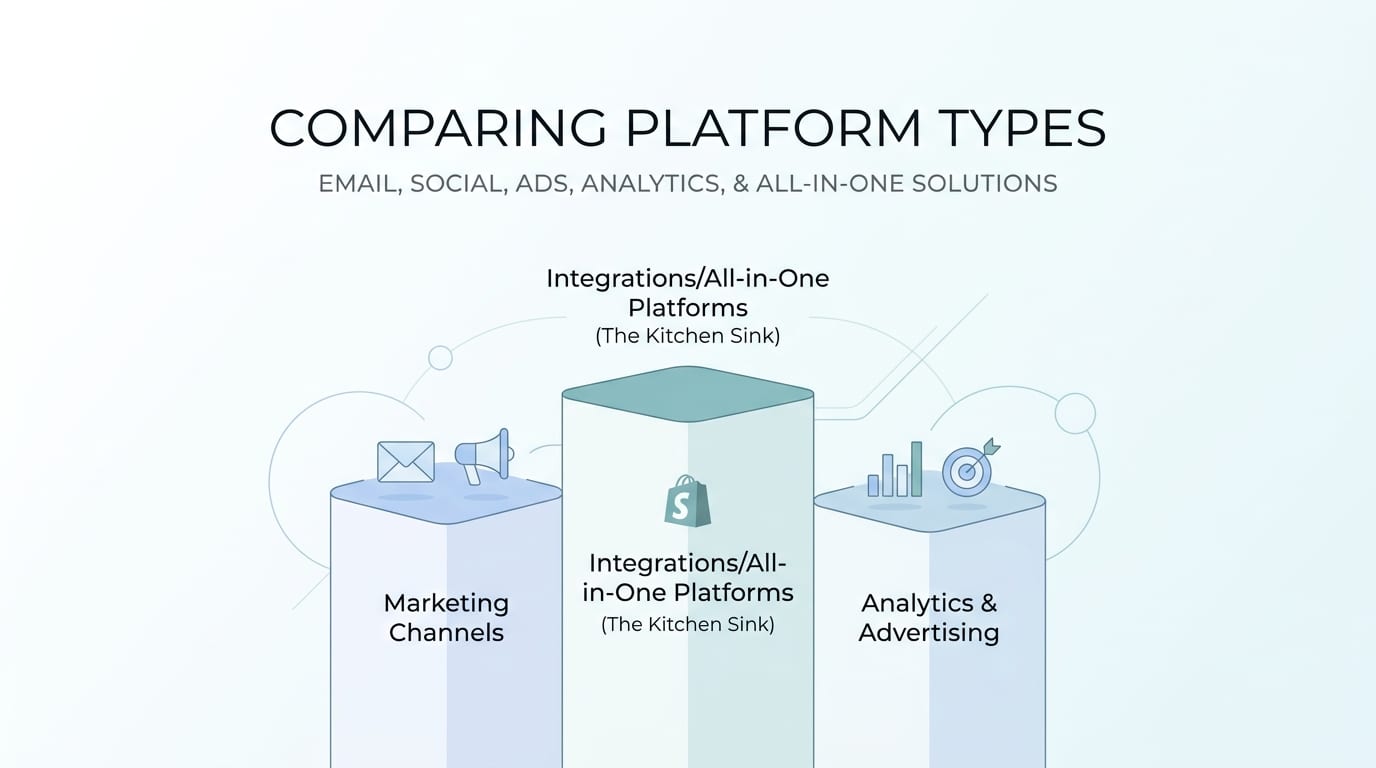
Comparing Platform Types: Email, Social, Ads, Analytics, and the Kitchen Sink
The phrase “shopify marketing platform” can refer to several categories. Some platforms specialize. Others try to do everything. Here is how to think about them.
Email and SMS platforms
These are essential for retention, cart recovery, post-purchase flows, and promotions. They help you segment customers, send automated sequences, and generate repeat purchases. If your store gets regular traffic, email/SMS is often one of the highest-leverage channels.
Typical workflows include welcome sequences, abandoned cart emails, browse abandonment, win-back campaigns, and VIP customer offers. These tools are powerful, but they do not usually solve the top-of-funnel content problem. They help convert and retain audiences you already have.
Social media marketing platforms
Social platforms help you create, schedule, publish, and sometimes analyze content. For Shopify stores, this is critical because product discovery increasingly happens on social feeds, creator posts, reels, pins, and community content.
Content Generator belongs strongly in this category. It helps merchants generate high-quality social posts in seconds, not hours, and distribute them across multiple platforms. If your products need visibility, repetition, and fresh creative, this is your playground.
For a deeper look at social strategy, check out Content Generator’s guide to Shopify social marketing.
Ad platforms
Ad tools help manage paid traffic campaigns across Meta, Google, TikTok, Pinterest, and other networks. They are useful when you have a proven offer and want to scale. But ads burn money quickly if your creative is weak or your product page leaks trust like a cardboard submarine.
This is another reason content creation matters. Paid social requires constant creative testing. A platform that helps you generate fresh hooks, captions, and visuals can support your ad strategy even if it is not the ad-buying tool itself.
Analytics and attribution platforms
Analytics tools help you understand which campaigns and channels drive revenue. Ecommerce attribution can get messy because shoppers might see a Pinterest post, click an Instagram ad, sign up for email, abandon cart, then return through Google. Humans are not funnels. They are raccoons with credit cards.
Use analytics to identify patterns, but do not expect perfect certainty. Look for directional truth: which channels bring qualified traffic, which products convert, which messages get clicks, and which campaigns produce profitable revenue.
How to Use Content Generator as Your Shopify Social Marketing Engine
Let’s get specific. If you are building a shopify marketing platform stack, Content Generator can serve as the content automation layer for social media. That means it handles the repetitive creative and scheduling work that keeps your store visible.
Here are practical ways Shopify merchants can use it:
- Turn product pages into social posts: Use website scraping to create promotional content from existing product descriptions and pages.
- Create product launch campaigns: Generate captions, visuals, and platform-specific posts for new arrivals.
- Schedule evergreen promotions: Automatically recycle bestsellers, educational posts, and seasonal reminders every 4 weeks.
- Build branded templates: Use custom designs for consistent product spotlights, review graphics, sale posts, and category promos.
- Generate AI visuals: Create supporting images with Google Gemini-powered AI image generation.
- Import product lists: Use CSV import to create content in bulk for large collections or sale events.
Here’s a simple example. Imagine you sell handmade pet accessories. You have 40 products: collars, bandanas, leashes, tags, and tiny bow ties for dogs who have more social confidence than most adults. You could manually write posts for each product. Or you could import product data into Content Generator, create captions in bulk, apply a branded template, generate images, and schedule posts across Pinterest, Instagram, Facebook, and X.
The result is not just “more content.” It is more consistent product visibility. And consistency matters because most shoppers do not buy the first time they see you. They need reminders, proof, context, and sometimes a discount code named after a holiday nobody understands.
If you want to explore the platform directly, start with the Content Generator homepage at Content Generator and look at how its automation features map to your social content workflow.
Traffic and Conversion Strategy: Don’t Just Shout Into the Shopify Void
A strong shopify marketing platform should help with both traffic and conversion. Traffic gets people to the store. Conversion turns those people into customers. You need both, or you end up with either an empty store or a crowd of browsers treating your product pages like a museum exhibit.
Traffic strategies your platform should support
Use your marketing platform to distribute content that attracts shoppers from multiple sources:
- Pinterest pins linking to product pages, gift guides, and collections.
- Instagram posts showcasing lifestyle use cases and product benefits.
- Facebook posts promoting offers, bundles, and customer stories.
- X posts sharing quick product updates, founder thoughts, and timely promos.
- LinkedIn posts for B2B-friendly Shopify brands, founders, and professional audiences.
According to Hootsuite’s social media statistics, social platforms remain central to how consumers discover brands and content. For Shopify merchants, that makes social publishing more than a nice-to-have. It is distribution infrastructure.
Conversion strategies your platform should support
Once traffic arrives, the store experience must do its job. Use marketing messages that align with product pages. If your social post promises “the softest organic cotton tee for sensitive skin,” the landing page should immediately reinforce that promise with product details, reviews, images, and trust signals.
Improve conversion rate with:
- Clear product titles and benefit-led descriptions.
- High-quality product and lifestyle images.
- Customer reviews and user-generated content.
- Fast-loading pages and mobile-friendly design.
- Transparent shipping, returns, and sizing information.
- Strong calls to action that tell shoppers what to do next.
Your social marketing content should pre-sell the click. That means the shopper arrives already understanding the value. Content Generator helps by letting you create educational and benefit-driven posts, not just “here is a product, behold its existence” posts.

Metrics That Matter When Evaluating Your Shopify Marketing Platform
Marketing dashboards can become dangerous toy boxes. There are graphs, percentages, arrows, colors, and enough metrics to make your brain leave a resignation letter. Focus on metrics that connect to business outcomes.
Track these:
- Website traffic by channel: Which platforms send visitors to Shopify?
- Click-through rate: Are your posts and campaigns compelling enough to earn clicks?
- Conversion rate: What percentage of visitors buy?
- Average order value: Are campaigns driving bigger purchases?
- Customer acquisition cost: How much does it cost to acquire a buyer?
- Repeat purchase rate: Are customers coming back?
- Revenue by campaign: Which campaigns actually make money?
- Content production time: How long does it take to create and schedule campaigns?
That last metric is underrated. If your team spends 12 hours per week creating basic social posts, and Content Generator reduces that to two hours, that is not just convenience. That is operational leverage. You can reinvest the saved time into product improvements, customer service, creative testing, partnerships, or staring proudly at your organized content calendar like it is a freshly vacuumed carpet.
Marketing automation is also about consistency. Moz’s beginner guide to SEO emphasizes that discoverability relies on creating useful content and helping audiences find it. While social marketing is not the same as SEO, the principle overlaps: consistent, useful, well-distributed content builds visibility over time.
Common Shopify Marketing Platform Mistakes to Avoid
Let’s save you from stepping on the digital rake. Here are common mistakes merchants make when choosing or using a shopify marketing platform.
Mistake 1: Buying too many tools too soon
More tools can mean more complexity. Start with the channels and workflows that matter most. If your biggest problem is inconsistent social content, fix that before buying advanced attribution software that requires three consultants and a ceremonial onboarding call.
Mistake 2: Automating weak messaging
Automation multiplies what already exists. If your product positioning is unclear, automation will distribute unclear messaging faster. Before scaling, clarify your offer, audience, benefits, and proof points.
Mistake 3: Posting only product promos
People do not follow brands just to see endless “buy now” posts. Mix your content:
- Educational tips.
- Behind-the-scenes content.
- Customer stories.
- Product comparisons.
- Seasonal guides.
- Founder notes.
- FAQs and objections.
- Promotions and launches.
Content Generator makes this easier because you can create multiple content types in batches and schedule them into a balanced calendar.
Mistake 4: Ignoring platform-specific formats
A Pinterest post is not the same as an X post. Instagram captions are different from LinkedIn posts. Good marketing platforms help you adapt content by channel. Content Generator supports multi-platform publishing, so you can tailor posts without rebuilding everything from scratch.
Mistake 5: Never reviewing performance
Automation should not mean “set it and flee.” Review campaign results regularly. Keep what works. Improve what underperforms. Retire what is giving “brochure from 2007” energy.
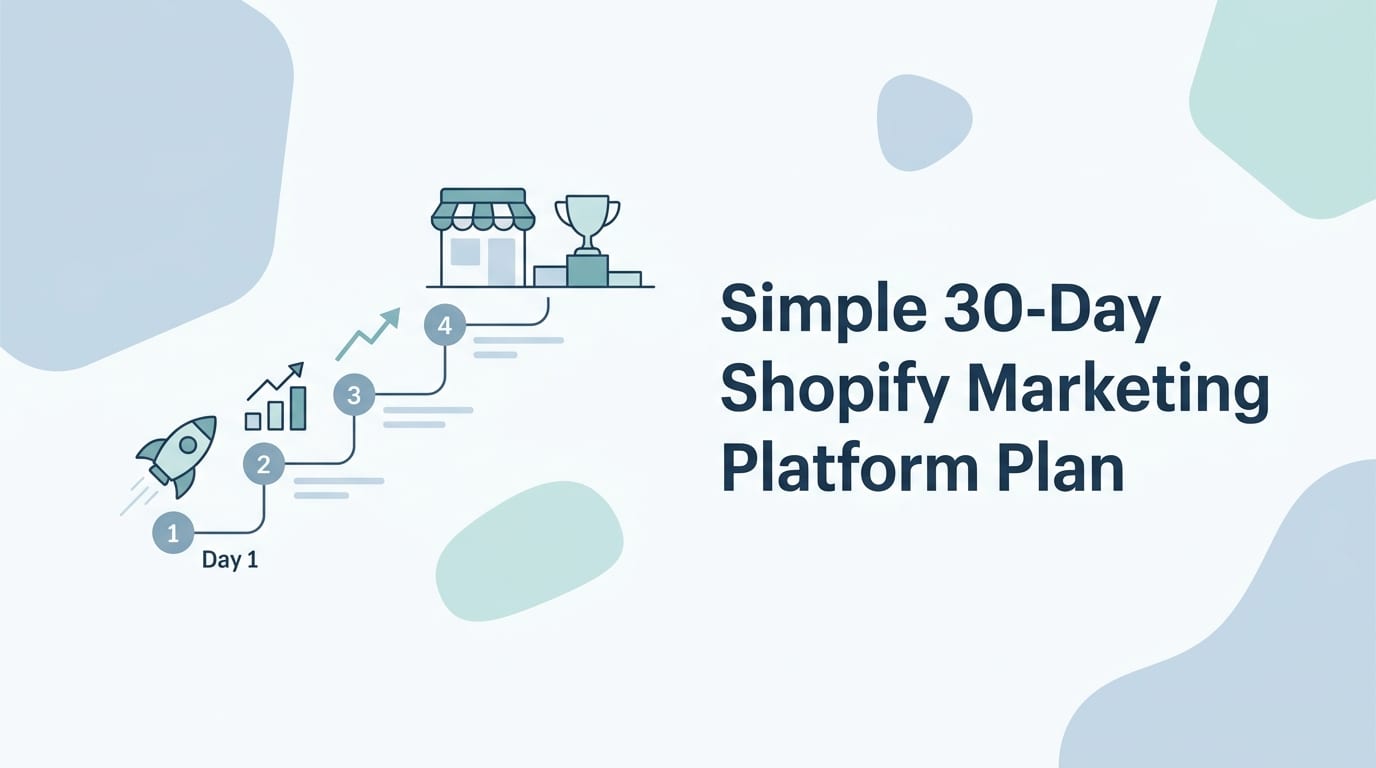
A Simple 30-Day Shopify Marketing Platform Plan
If you want to get moving, here is a practical 30-day plan for setting up and using your shopify marketing platform.
Days 1-3: Audit your current marketing
List your active channels, posting frequency, email flows, ad campaigns, top products, and biggest bottlenecks. Identify where you lose the most time and where revenue opportunities are slipping.
Days 4-7: Choose your platform stack
Select tools based on your bottleneck. For many stores, a strong starter stack includes Shopify, an email/SMS platform, analytics, and Content Generator for social content automation. Keep it lean. Lean is beautiful. Bloated stacks are where productivity goes to wear ankle weights.
Days 8-14: Build content templates and campaigns
Create reusable templates for product spotlights, customer reviews, sale announcements, how-to posts, gift guides, and category features. In Content Generator, set up custom designs so every post looks like it came from the same brand universe, not five interns with conflicting fonts.
Days 15-21: Generate and schedule content
Use website scraping, AI text generation, CSV import, and AI image generation to create a month of content. Schedule posts across your priority platforms. Make sure each post has a clear call to action and links to the right Shopify page.
Days 22-30: Measure, refine, and repeat
Review performance. Which products earned clicks? Which hooks got engagement? Which channels sent traffic? Which posts converted? Use those insights to improve the next 30-day cycle.
This is how marketing becomes a machine. Not a cold, soulless machine. More like a friendly robot that remembers to post your product launch while you are busy dealing with inventory, customers, and the existential mystery of why one package always goes to the wrong sorting facility.
Final Verdict: The Best Shopify Marketing Platform Is the One You’ll Actually Use
A shopify marketing platform should make your marketing easier, faster, and more profitable. It should help you create consistent campaigns, reach shoppers across channels, automate repetitive work, and learn what drives traffic and conversions. It should not become another dusty login in your password manager called “MarketingThing_Final_REAL2.”
The right platform depends on your store’s stage and bottleneck. If you need retention, prioritize email and SMS. If you need paid scale, build your ad workflow. If you need better visibility and consistent product promotion across social channels, Content Generator is a no-brainer piece of the stack.
Why? Because Shopify merchants need content. Lots of it. Good content. Branded content. Scheduled content. Recurring content. Content that does not require sacrificing your weekend to the caption goblin.
Content Generator helps by giving you:
- Bulk content creation from your website or CSV files.
- AI-generated captions and post ideas in seconds.
- AI image generation powered by Google Gemini.
- Scheduling across Pinterest, X, Instagram, Facebook, and LinkedIn.
- Recurring content automation every 4 weeks.
- Custom templates that keep your Shopify brand consistent.
Start by choosing your goal: more traffic, better conversions, stronger retention, or less manual chaos. Then build a platform workflow around that goal. And if social content is the part making you sigh dramatically into your coffee, let Content Generator handle the heavy lifting.
Your Shopify store deserves a marketing system that works while you do other important founder things, like answering customer questions, improving products, and pretending you are not checking sales notifications every seven minutes. Build the system. Automate the grind. Keep the personality. Then go sell the frog candle.

