
Your content calendar should not feel like a haunted spreadsheet with commitment issues. Yet for many small businesses, content creation is exactly that: half-written captions, forgotten product photos, a Canva tab from last Tuesday, and a vague plan to “post more consistently” once the universe calms down. Spoiler: it will not. That is why choosing the right small business content tools matters. The right stack can help you plan, create, schedule, publish, and repurpose content without hiring a 12-person marketing department or sacrificing your lunch break to the algorithm goblin.
This guide breaks down how to choose small business content tools that actually save time, what categories matter most, how to build a practical workflow, and where automation makes sense. We will compare tool types, outline a step-by-step system, and show how platforms like Content Generator can turn content chaos into a smooth little marketing machine that posts while you do literally anything else. Even accounting. Okay, maybe not accounting.
Why Small Business Content Tools Are No Longer “Nice to Have”
Small businesses are expected to behave like media companies now. You need educational posts, product updates, behind-the-scenes content, seasonal promotions, email snippets, blog ideas, short videos, graphics, and platform-specific captions. Also, please make it authentic, strategic, consistent, visually appealing, and posted at the exact moment your audience decides to stop doom-scrolling and become a buyer. Easy, right?
The truth is that content marketing works, but the workload is sneaky. According to HubSpot’s marketing statistics, marketers continue to invest heavily in content, social media, and AI-assisted workflows because these channels influence visibility, trust, and lead generation. For a small business, that does not mean you need more random tools. It means you need fewer, smarter tools that remove repetitive work.
Good small business content tools help you:
- Generate ideas when your brain is running on coffee fumes.
- Create social posts, captions, images, and campaigns faster.
- Schedule content across multiple platforms from one place.
- Maintain brand consistency without manually policing every font and emoji.
- Repurpose one idea into many formats.
- Track what is working so you stop posting into the void like a Victorian ghost.
This is especially important because social media management is no longer just “make a post.” It is planning, production, publishing, engagement, analytics, and iteration. If you are still copying captions from a Google Doc into five different apps, your workflow is basically wearing wooden shoes in a Formula 1 race.
The Core Categories of Small Business Content Tools
Before you pick tools, you need to understand the categories. This prevents the classic mistake of buying five apps that all do 30% of the same thing while still leaving you manually resizing images at midnight. The best small business content stack covers the whole pipeline: strategy, creation, design, scheduling, automation, and measurement.
1. Idea and planning tools
These tools help you decide what to publish and when. They may include keyword research tools, social listening platforms, content calendars, spreadsheet templates, or AI brainstorming assistants. The goal is simple: stop waking up and asking, “What should we post today?” That question is how content calendars go to perish.
2. Writing and AI text generation tools
AI writing tools can help create captions, hooks, product descriptions, blog outlines, ad variations, and repurposed posts. The trick is to use AI as a co-pilot, not as a weird robot intern who writes everything in corporate oatmeal. Give it specific prompts, brand voice guidance, audience details, and examples.
3. Visual design and image generation tools
Visuals matter. Posts with compelling graphics, product images, and branded layouts are easier to notice. Tools in this category include template builders, design platforms, AI image generators, photo editors, and asset libraries. Content Generator includes AI image generation powered by Google Gemini, which is extremely handy when you need fresh visuals without staging an entire photoshoot involving a succulent, a latte, and emotional lighting.
4. Scheduling and publishing tools
Scheduling tools let you publish across platforms without manually logging into Instagram, Facebook, LinkedIn, Pinterest, and X like you are checking doors before bedtime. This category is one of the highest-impact areas for small businesses because consistency is where many teams fall apart. Content Generator’s advanced scheduling system is built specifically for this: create, schedule, and publish high-quality social media posts across multiple platforms in seconds.
5. Automation and recurring content tools
Automation tools handle repeatable tasks like recurring campaigns, evergreen posts, bulk content creation, and seasonal promotions. This is where small teams gain serious leverage. If you want a deeper look at automation options, read this guide to a small business automation tool and how automation can remove the repetitive bits that eat your calendar alive.
6. Analytics and optimization tools
Analytics tools tell you what worked. Which posts got clicks? Which platforms drive engagement? Which topics produce leads? Without analytics, content strategy becomes a vibes-based soup. And while vibes are great for playlists, they are terrible for revenue decisions.
How to Choose Small Business Content Tools Without Building a Software Junk Drawer
Small businesses often collect tools like raccoons collect shiny objects. One for captions. One for scheduling. One for graphics. One for approvals. One you forgot you subscribed to but it still charges $19 a month and judges you silently. Instead, use a decision framework.
Start by asking what problem you are actually solving. If your issue is inconsistency, prioritize scheduling and automation. If your issue is weak engagement, prioritize better content strategy, visuals, and audience research. If your issue is time, prioritize tools that combine creation and publishing in one workflow.
Here are the criteria that matter most:
- Ease of use: If it requires a three-week onboarding ritual and a ceremonial candle, skip it.
- Multi-platform support: Your audience may be split across Instagram, Facebook, LinkedIn, Pinterest, and X. Your tool should handle that.
- AI assistance: AI should help with writing, ideation, and image creation while still letting you edit and stay on brand.
- Bulk creation: Creating one post at a time is fine until you need 40 posts for the month.
- Scheduling depth: Look for queues, calendars, recurring posts, and platform-specific customization.
- Templates: Brand consistency gets much easier when layouts are reusable.
- Price-to-value ratio: Cheap is not always better. A $10 tool that wastes four hours is expensive in disguise.
This is where Content Generator fits neatly. It combines AI-powered text generation, bulk content creation from website scraping, AI image generation, custom templates, CSV import, scheduling, and multi-platform publishing. Instead of duct-taping five apps together and praying nothing breaks, you get a more unified content workflow. Less tab-hopping. More posting. Fewer browser crashes that feel personal.
If you are comparing broader options, this list of small business marketing tools can help you evaluate what belongs in your marketing stack and what should be sent to the app graveyard.
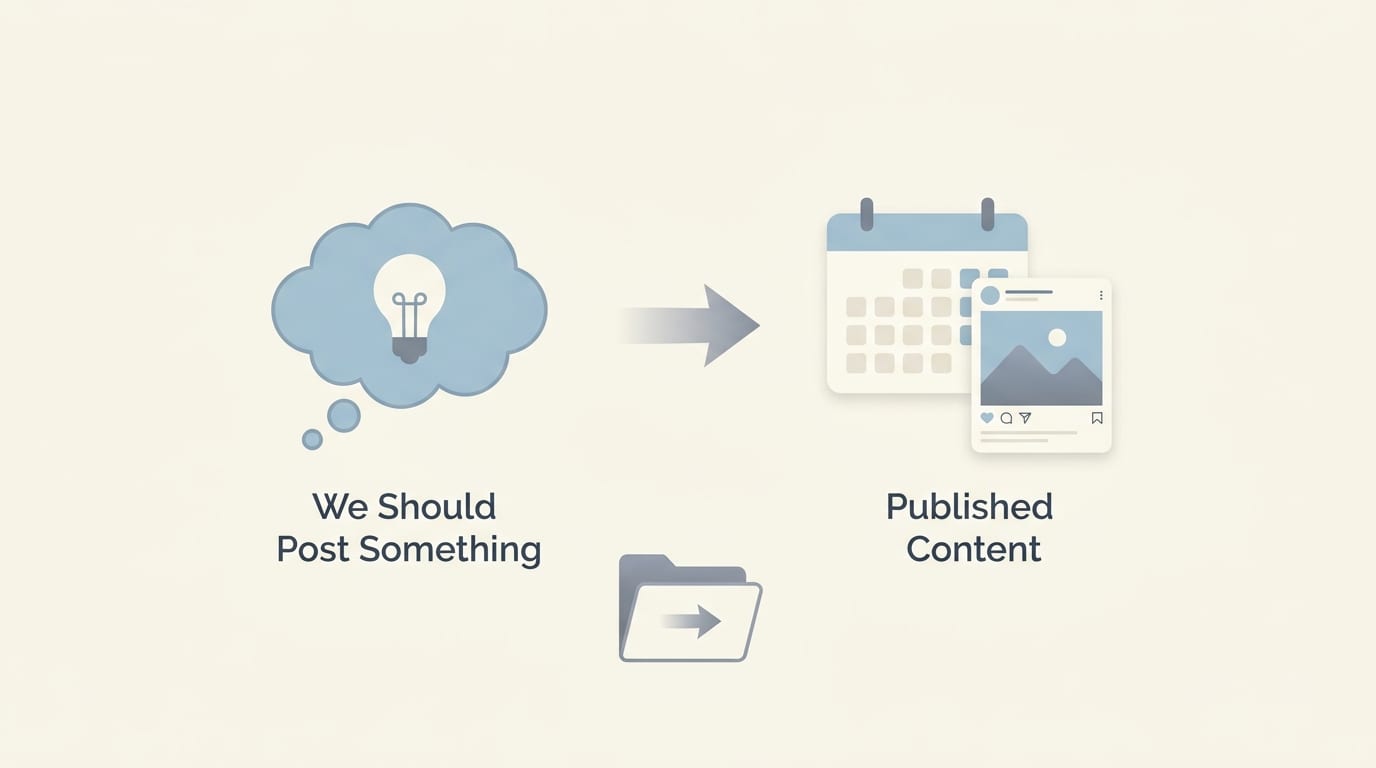
The Practical Workflow: From “We Should Post Something” to Published Content
Tools are only useful if they support a workflow. Otherwise, you are just buying digital furniture for a house with no floor. Here is a simple workflow small businesses can use to create and publish consistently.
Step 1: Define your content pillars
Content pillars are the core topics you post about regularly. For a local bakery, pillars might include new products, baking tips, customer stories, behind-the-scenes content, seasonal promotions, and community events. For a B2B consultant, pillars might include industry insights, client results, educational explainers, founder opinions, and service breakdowns.
A good rule: choose 4-6 pillars. Fewer than that can feel repetitive. More than that can become a content buffet with no plates.
Step 2: Build a monthly content plan
Plan in batches. Weekly planning works, but monthly planning creates more breathing room. Decide how often you want to publish per platform. For example:
- Instagram: 4 posts per week
- Facebook: 3 posts per week
- LinkedIn: 2 posts per week
- Pinterest: 5 pins per week
- X: 5 short updates per week
This sounds like a lot because it is. But with small business content tools, you can repurpose one idea across several channels. A product launch can become an Instagram carousel, a LinkedIn founder note, a Facebook announcement, a Pinterest graphic, and three X posts. One idea, many outfits. Like a marketing potato with accessories.
Step 3: Generate drafts in bulk
Batching is the productivity cheat code that does not require waking up at 4:30 a.m. Use AI-powered text tools to draft captions, hooks, calls to action, and variations. Content Generator’s bulk content creation can even scrape your website and turn existing pages into social content. That means your product pages, blog posts, service descriptions, and FAQs can become ready-to-schedule posts instead of sitting there like unused gym equipment.
Step 4: Create branded visuals
Use templates so every post feels like it came from the same business, not from six cousins with different design opinions. Content Generator’s template builder lets you create custom designs and reuse them, while AI image generation helps produce fresh visuals when your camera roll is mostly receipts and one blurry dog photo.
Step 5: Schedule and automate
Once posts are drafted and designed, schedule them. Ideally, use a tool that supports multiple platforms, platform-specific formatting, and recurring content. Content Generator can automatically create recurring content every 4 weeks, which is perfect for evergreen tips, reminders, service highlights, and ongoing promotions.
Step 6: Review performance and improve
Every month, review what performed best. Look at engagement, reach, clicks, saves, shares, and conversions. According to Sprout Social’s social media statistics, consumers use social platforms to discover, evaluate, and connect with brands, so performance data should directly shape your next content cycle. Double down on what works. Retire what flops. Give underperforming formats a respectful farewell and maybe a tiny trumpet.
AI Content Tools: Brilliant Assistant or Chaos Gremlin?
AI is one of the biggest shifts in small business content tools. Used well, it saves hours. Used poorly, it creates captions that sound like a motivational poster trapped in a vending machine. The difference is process.
AI tools are best for:
- Brainstorming post ideas based on products, services, or audience pain points.
- Writing first drafts of captions and social posts.
- Creating variations for different platforms.
- Repurposing blog posts into social snippets.
- Generating image concepts or AI visuals.
- Turning website content into promotional posts.
AI tools are not best for blindly publishing without review. Your brand voice matters. Your offers matter. Your audience’s context matters. If you run a boutique fitness studio, you probably do not want every post to say “unlock your potential” unless your brand is secretly a conference lanyard.
The winning approach is human-led, AI-assisted. You define the strategy, audience, tone, offers, and calendar. AI speeds up execution. Content Generator is built around that principle. It uses AI-powered text generation to help you create content quickly, but you still control the message, edit the output, choose the templates, and schedule posts where they belong.
The broader industry is moving this way. Buffer’s guide to AI for social media highlights how marketers use AI for ideation, writing assistance, repurposing, and workflow efficiency. For small businesses, that is the sweet spot: not replacing your judgment, just removing the blank-page panic.
Scheduling Tools: Because “I’ll Post Later” Is Where Content Goes to Die
Scheduling may be the least glamorous part of content marketing, but it is also one of the most important. Consistency builds recognition. Recognition builds trust. Trust makes people more likely to buy, book, subscribe, visit, refer, or at least stop mistaking your business for that other business with the suspiciously similar logo.
A strong scheduling tool should let you:
- Plan posts visually on a calendar.
- Publish across multiple platforms.
- Customize content for each platform.
- Schedule ahead by days, weeks, or months.
- Reuse evergreen content intelligently.
- Manage campaigns without manual copy-paste marathons.
Content Generator’s scheduling system supports Pinterest, X, Instagram, Facebook, and LinkedIn, giving small businesses one place to manage multi-platform publishing. That matters because each platform has a different role. LinkedIn may be stronger for B2B credibility. Instagram may support visual storytelling. Facebook may help with local community visibility. Pinterest can drive long-tail discovery. X can be useful for quick commentary and updates.
If your biggest pain point is posting consistently, this breakdown of a small business posting tool explains what to look for in a platform that handles publishing without turning your day into a copy-paste obstacle course.
Scheduling also reduces decision fatigue. You are not negotiating with yourself every day about whether to post. The content is already queued. The machine is humming. You can focus on customers, operations, and occasionally drinking water like a functioning mammal.
Templates, Branding, and the Fine Art of Not Looking Random
Brand consistency is underrated. People should recognize your content before they read your handle. That does not mean every post must look identical. It means your colors, fonts, layouts, tone, and visual style should feel connected. A consistent brand makes your business look more professional and trustworthy, even if your “office” is currently a laptop, a kitchen table, and a heroic amount of snacks.
Template-based tools are incredibly useful for small businesses because they reduce design time and decision fatigue. Instead of starting from scratch, create reusable formats for:
- Product announcements
- Customer testimonials
- Educational tips
- Promotions and sales
- Event reminders
- Before-and-after posts
- Quotes and founder thoughts
- FAQ answers
Content Generator’s template builder is especially valuable here. You can create custom designs that fit your brand, then generate posts using those templates instead of reinventing the wheel every Tuesday. Pair that with AI text generation and AI images, and you can move from idea to publish-ready post much faster.
For example, a home cleaning company could build templates for “Weekly Cleaning Tip,” “Before & After,” “Service Spotlight,” and “Customer Review.” Each month, they can generate captions, drop in visuals, schedule the posts, and maintain a polished social presence without needing a full-time designer. The broom does not need a branding degree. The tool handles it.
If you want to explore how templates fit into broader marketing systems, this guide to small business digital marketing connects content, automation, channels, and strategy into a practical roadmap.
Bulk Content Creation: The Secret Weapon for Busy Teams
Bulk content creation is where small business content tools go from helpful to “where have you been all my life?” Instead of creating posts one by one, bulk creation lets you generate many pieces of content at once. This is ideal for businesses with existing website content, product catalogs, blog archives, service pages, menus, listings, or seasonal campaigns.
Here is why bulk creation is powerful: most businesses already have content. It is just trapped in places that do not automatically become social posts. Your website explains your services. Your FAQs answer customer objections. Your blog posts educate prospects. Your product pages contain benefits, features, and use cases. Content Generator can scrape your website and help turn that material into social posts quickly.
Practical examples:
- A restaurant turns menu pages into weekly featured dish posts.
- A real estate agent turns neighborhood guides into LinkedIn and Facebook updates.
- An ecommerce store turns product pages into Pinterest pins and Instagram captions.
- A consultant turns service pages into educational mini-posts.
- A fitness coach turns FAQs into myth-busting social content.
Bulk creation works best when paired with review and scheduling. Generate the drafts, polish them, assign templates, then schedule. Do not publish 87 posts in one sitting unless your strategy is “confuse everyone and anger the feed.” Spread them intelligently across the month.
Content Generator also supports CSV file import, which is useful if you already manage product data, campaign ideas, or content prompts in spreadsheets. Upload, generate, refine, schedule. Spreadsheet people get to keep their spreadsheets. Everyone wins. Tiny confetti cannon.
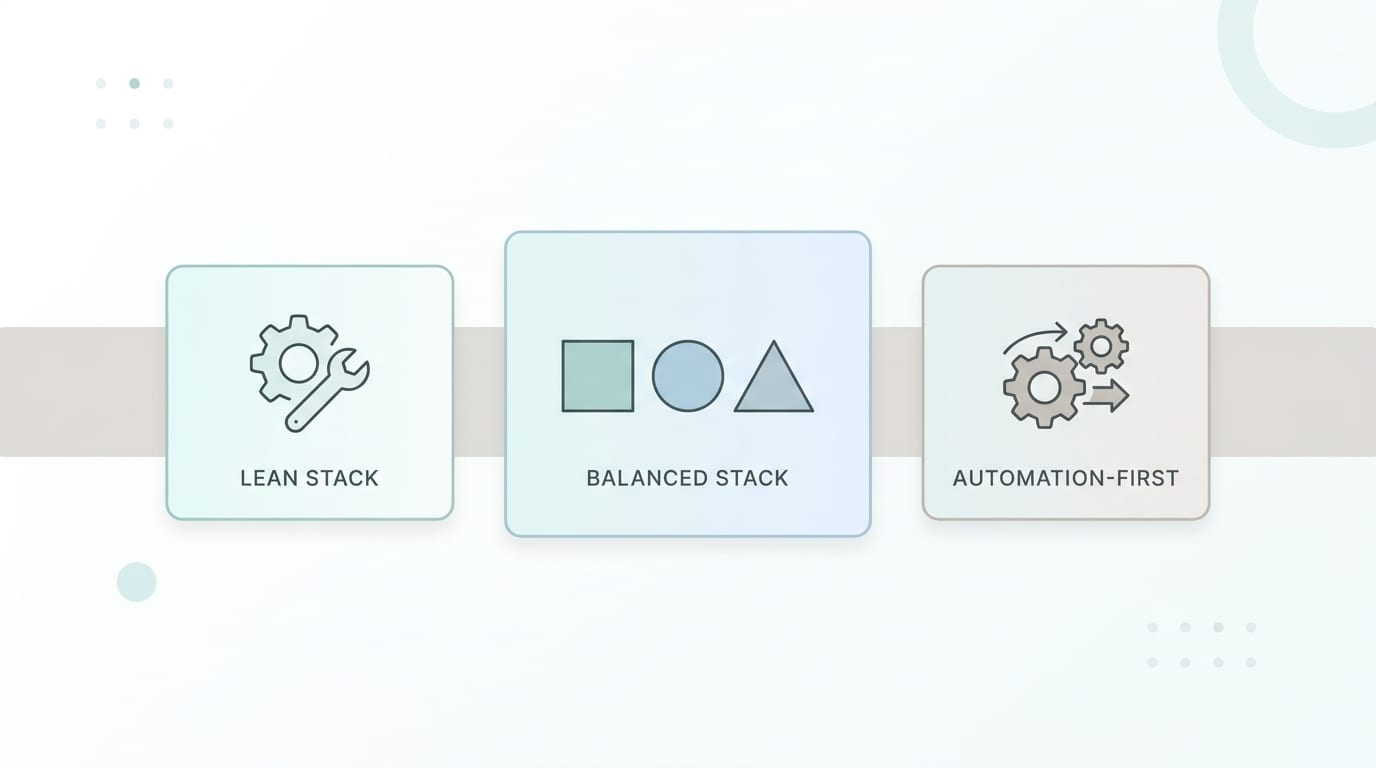
Comparing Tool Stacks: Lean, Balanced, and Automation-First
There is no single perfect tool stack for every business. A bakery, law firm, online coach, landscaping company, and ecommerce shop all have different content needs. But most small business stacks fall into three models.
The lean stack
This is for very small teams or solo operators. It usually includes one planning tool, one design tool, and one scheduler. It is simple and affordable but may require more manual work. Good if you post lightly or are just getting started.
Pros: low cost, easy to manage, minimal complexity.
Cons: slower production, more manual repurposing, limited automation.
The balanced stack
This includes planning, AI writing, templates, scheduling, and analytics. It is a good fit for growing businesses that publish several times per week and need more consistency. Many small businesses should aim here.
Pros: better workflow, stronger consistency, faster creation.
Cons: can become fragmented if tools do not integrate well.
The automation-first stack
This is for businesses that want to produce and schedule content at scale. It includes AI generation, bulk creation, templates, recurring content, CSV import, multi-platform scheduling, and performance review. Content Generator sits firmly in this category because it is built to automate social media marketing workflows from creation to publishing.
Pros: major time savings, scalable publishing, less repetitive work, better consistency.
Cons: requires an upfront strategy so automation supports your goals instead of creating polished nonsense.
Research from Hootsuite’s social media trends reporting consistently points to the growing importance of AI, platform-specific strategy, and efficient content operations. That is exactly why automation-first workflows are becoming more practical for small businesses, not just big brands with snack walls and mysterious “brand experience” budgets.
Common Mistakes When Using Small Business Content Tools
Tools can help tremendously, but they will not fix a fuzzy strategy. Here are the mistakes to avoid if you want your content system to actually work.
Mistake 1: Buying tools before defining goals
Do you want more website traffic? More local awareness? More bookings? More leads? Better retention? Your goal determines your content, platforms, and metrics. Without a goal, every tool looks equally useful, which is how you end up with seven dashboards and no clue what to do next.
Mistake 2: Posting the same thing everywhere
Repurposing is smart. Copy-pasting identical posts everywhere is lazy in a fake mustache. Adjust tone, format, and length for each platform. A LinkedIn post can be more explanatory. An Instagram caption can be warmer and visual. Pinterest needs searchable titles and strong imagery. X rewards brevity and timeliness.
Mistake 3: Ignoring evergreen content
Not every post needs to be breaking news from the Department of Your Business. Evergreen content is content that stays relevant: tips, FAQs, how-tos, service explanations, testimonials, and product benefits. Content Generator’s recurring content feature helps keep evergreen posts in rotation every 4 weeks, so your best messages do not vanish after one lonely appearance.
Mistake 4: Over-automating without review
Automation is not autopilot into a cornfield. Review AI-generated content before publishing. Check facts, tone, offers, dates, and links. Make sure seasonal content is actually seasonal and not wishing people a happy summer sale in November unless you sell irony.
Mistake 5: Not measuring results
Marketing without measurement is just arts and crafts with invoices. Track performance monthly. Look for patterns by topic, format, platform, and call to action. Then improve the next batch.
A Simple 30-Day Content Tool Plan for Small Businesses
If you are overwhelmed, start with a 30-day plan. Do not attempt to build the NASA command center of marketing on day one. Begin with a repeatable system.
- Day 1: Choose 4-6 content pillars based on your offers and audience questions.
- Day 2: Audit your existing website, blog, FAQs, product pages, and testimonials for reusable content.
- Day 3: Pick your priority platforms. Start with 2-3, not all of them unless you enjoy juggling flaming calendars.
- Day 4: Create or choose branded templates for common post types.
- Day 5: Use AI to generate 30-50 draft post ideas and captions.
- Day 6: Edit drafts for accuracy, tone, and offers.
- Day 7: Generate or collect visuals for each post.
- Day 8: Schedule two weeks of content.
- Day 15: Review early engagement and adjust upcoming posts.
- Day 22: Create the next batch using what you learned.
- Day 30: Review results and build the next monthly calendar.
Content Generator can support almost every step in this plan: website scraping for bulk content, AI text generation, AI images, templates, CSV import, scheduling, and recurring automation. That is the big advantage of using an integrated platform instead of duct-taping separate tools together and hoping the duct tape has a marketing degree.
For a broader comparison of tool options and categories, you can also check out this related guide to small business marketing tools, which covers more of the marketing ecosystem beyond content creation and posting.
So, Which Small Business Content Tools Should You Actually Use?
The best tool is the one that helps you publish better content more consistently with less manual effort. Revolutionary? No. True? Extremely. Small business content tools should reduce friction, not create another job called “Tool Manager and Password Reset Champion.”
At minimum, your stack should help you:
- Plan content around business goals.
- Generate ideas and drafts quickly.
- Create branded visuals without design bottlenecks.
- Schedule posts across your chosen platforms.
- Automate recurring and evergreen content.
- Review performance and improve each month.
Content Generator is a strong choice because it brings many of these functions into one platform. It is particularly useful if you want to save time, generate content in bulk, publish across Pinterest, X, Instagram, Facebook, and LinkedIn, and keep your social channels active without living inside them. Its combination of AI-powered text generation, Google Gemini image generation, custom templates, website scraping, CSV import, recurring content, and advanced scheduling makes it a practical no-brainer for small businesses that need consistency but do not have infinite hours or a spare marketing wizard in the cupboard.
The bottom line: do not choose tools because they are trendy. Choose tools because they remove bottlenecks. If content creation is slow, use AI and bulk generation. If publishing is inconsistent, use scheduling. If your posts look random, use templates. If evergreen content keeps disappearing, use recurring automation. And if your entire system feels like a raccoon driving a forklift, use Content Generator to bring the workflow under control.
Final Thoughts: Build the Machine, Then Let It Purr
Small business content does not need to be chaotic. It does not need to consume your evenings, your weekends, or the tiny remaining corner of your brain reserved for remembering passwords and where you put your keys. With the right small business content tools, you can turn one idea into many posts, automate repetitive tasks, maintain a consistent brand, and show up across platforms without manually feeding the content beast every day.
Start simple. Pick your content pillars. Batch your ideas. Use AI for drafts and visuals. Build templates. Schedule ahead. Review results. Improve monthly. That is the system. Not glamorous, but wildly effective. Like a dishwasher for your marketing.
And if you want the shortcut that does not feel like a shortcut held together by paperclips, Content Generator is built for exactly this job. It helps small businesses create, schedule, and publish high-quality social media content in seconds—not hours. Give your content workflow a proper engine, let automation handle the repetitive stuff, and get back to running your business like the capable, slightly over-caffeinated legend you are.

