
Your website is not a dusty brochure sitting in the digital attic. It is a content buffet. A glorious, slightly chaotic buffet of headlines, product benefits, blog insights, FAQs, customer proof, tutorials, and “we should really post this on LinkedIn” moments. The trick is learning how to turn website content to social posts without spending your entire Tuesday whispering threats at a blank caption box.
Good news: you do not need to create social media content from scratch every day like some kind of caffeine-powered content goblin. Your website already contains the raw material. You just need a system for extracting the best bits, reshaping them for each platform, and scheduling them consistently. That is exactly where smart repurposing—and tools like Content Generator—make life dramatically less ridiculous.
In this guide, we’ll walk through practical, step-by-step methods to transform website pages, blog posts, product descriptions, service pages, testimonials, and FAQs into social posts that are useful, audience-focused, and actually worth publishing. We’ll cover formats, captions, scheduling, platform tweaks, and automation. Bring snacks. Let’s turn that website into a social media machine.
Why Turning Website Content to Social Posts Is the Ultimate Content Shortcut
Creating social posts from website content is not lazy. It is efficient. There is a difference. Lazy is posting “Happy Monday!” with a stock photo of a laptop and a fern. Efficient is taking a detailed blog post your team already wrote and turning it into five LinkedIn tips, three X threads, two Instagram carousels, one Pinterest pin, and a Facebook discussion post.
Your website content has already done the hard work. It has messaging, keywords, product details, examples, brand voice, and usually at least one sentence that can be turned into a banger caption. Repurposing simply gives that content more mileage. Think of it like leftovers, except instead of sad microwave pasta, you get an entire social media calendar.
According to HubSpot’s content marketing research, content marketing remains a core growth strategy for brands because it supports awareness, lead generation, and customer education. Social media is one of the fastest ways to distribute that content, but the challenge is consistency. Most teams do not struggle because they have no ideas. They struggle because they have no repeatable workflow.
That is why a website-to-social workflow matters. It helps you:
- Publish more consistently without reinventing the wheel.
- Keep messaging aligned across your website and social channels.
- Promote evergreen pages, blogs, and offers repeatedly without sounding like a broken robot.
- Reach different audience segments on different platforms.
- Save hours every week that would otherwise vanish into the caption abyss.
If you want a deeper look at automated workflows, Content Generator has already covered this topic in detail in its guide on turning website pages into social media posts. This article builds on that idea with a more tactical, step-by-step approach you can use immediately.
Step 1: Audit Your Website for Social Gold Nuggets
Before you create posts, you need to know what you are working with. Most websites contain far more reusable content than people realize. The issue is that it is scattered across pages like little marketing Easter eggs. Your job is to collect them without getting lost in a maze of tabs.
Start by identifying your highest-value website pages. These are usually:
- Homepage sections with your core value proposition.
- Service or product pages explaining what you offer.
- Blog posts with educational or how-to content.
- FAQ pages that answer common customer questions.
- Case studies and testimonials that build trust.
- Feature pages that explain specific benefits.
- Pricing or comparison pages that help buyers decide.
Now look for content pieces that can stand alone on social media. You are hunting for punchy statements, helpful explanations, surprising facts, customer pain points, and benefit-driven lines. For example, if your website says, “Our scheduling automation helps teams plan social content weeks in advance,” that can become a LinkedIn post about avoiding daily posting panic. If your FAQ answers “How long does onboarding take?” that can become a trust-building Instagram post.
Here is a simple audit table you can recreate in a spreadsheet:
- Page URL: Where the content lives.
- Content type: Blog, product page, FAQ, case study, etc.
- Main idea: What the page teaches or sells.
- Best quote or snippet: A sentence worth repurposing.
- Social angle: Tip, myth, story, checklist, question, stat, benefit.
- Best platform: LinkedIn, Instagram, Pinterest, X, Facebook.
Look, I’ll be real with you—this manual audit works, but it gets old fast. This is where Content Generator becomes your new best friend with snacks. Its bulk content creation from website scraping can pull useful information from website pages and help transform it into social posts quickly. Instead of copying, pasting, trimming, rewriting, sighing, and repeating, you can move from website content to social posts in seconds rather than hours.
If website scraping sounds like something only a hoodie-wearing hacker does in a movie, it is not. It is simply a practical way to extract usable website text for marketing automation. You can learn more in Content Generator’s guide on how to scrape a website for social media content.
Step 2: Repurpose Headlines Into Hooks That Stop the Scroll
Your website headlines are the easiest place to start because they already summarize value. But website headlines and social media hooks are not identical twins. They are cousins. One wears business casual. The other wears neon sneakers and yells, “Wait, read this.”
A website headline usually explains. A social hook interrupts. It makes people curious enough to pause. For example:
- Website headline: “Automate Your Social Media Scheduling”
- LinkedIn hook: “If you’re still posting manually every day, your calendar is quietly bullying you.”
- X hook: “Manual posting is not a strategy. It’s a tiny daily emergency.”
- Instagram hook: “Your social media calendar called. It wants automation.”
When turning website content to social posts, take each major headline and create multiple hook variations. Use different angles:
- Pain point: “Tired of writing captions from scratch every morning?”
- Benefit: “Turn one blog post into a week of social content.”
- Curiosity: “Your website is hiding 30 social posts. Here’s where to find them.”
- Contrarian: “You do not need more content ideas. You need a better repurposing system.”
- How-to: “How to turn your service page into 10 LinkedIn posts.”
According to Buffer’s guidance on social media content calendars, planning content ahead of time improves consistency and helps teams stay organized across platforms. Hooks are a huge part of that planning. If you batch your hooks in advance, future-you will thank present-you with imaginary confetti.
Content Generator’s AI-powered text generation is especially handy here. You can feed it a website page or imported text and generate multiple caption options for different platforms. That means one product page can become a carousel intro, a Pinterest title, a LinkedIn post, and an X update without you needing to cosplay as a full-time copywriter.

Step 3: Turn Key Website Sections Into Platform-Specific Post Formats
Not all social posts should look the same. A paragraph that works on LinkedIn may flop on Pinterest. A list that performs well as an Instagram carousel may need to become a short, sharp thread on X. Platform context matters. The same idea should change outfits depending on where it is going.
Here are practical ways to convert website content into platform-ready formats:
For LinkedIn: Teach, Explain, and Start Conversations
LinkedIn loves useful, professional, slightly opinionated content. Take sections from blogs, service pages, or case studies and turn them into educational posts. Keep the structure simple: hook, insight, example, takeaway, question.
Example from a website feature page:
- Website text: “Our automation system publishes recurring content every 4 weeks.”
- LinkedIn post angle: “Most brands do not need to create more content. They need to reuse the content that already works.”
Add a short explanation of why recurring content works, give an example, and end with a question like, “What evergreen content do you repost regularly?” Boom. Conversation unlocked.
For Instagram: Visualize the Takeaway
Instagram content should be visual and digestible. Blog sections make great carousel slides. FAQs make great Reels scripts. Product benefits can become quote graphics or before-and-after posts.
Turn a blog section titled “How to Build a Social Calendar” into a carousel:
- Slide 1: “Stop posting randomly. Do this instead.”
- Slide 2: “Pick 3 content pillars.”
- Slide 3: “Repurpose website pages.”
- Slide 4: “Batch captions weekly.”
- Slide 5: “Schedule everything in advance.”
- Slide 6: “Repeat before chaos arrives.”
Content Generator’s AI image generation powered by Google Gemini can help create supporting visuals, while the template builder lets you keep designs consistent. Consistency matters because your brand should look like a brand, not like five interns fought inside Canva.
For Pinterest: Make It Searchable and Evergreen
Pinterest is more search engine than social feed. Blog posts, tutorials, product pages, and guides are perfect source material. Turn your website content into pin titles and descriptions using clear keywords.
Example:
- Blog title: “How to Repurpose Website Content”
- Pinterest title: “How to Turn Website Content Into Social Media Posts”
- Description: “Learn how to repurpose blog posts, service pages, FAQs, and product content into social captions, carousels, and pins.”
For more platform workflow ideas, the Content Generator article on creating social media posts from website content gives useful examples for converting site pages into publishable posts.
For X: Compress the Idea Until It Sparks
X rewards brevity, wit, and clarity. Take a website paragraph and distill it into a punchy observation, quick tip, or mini-thread.
Example:
- Website paragraph: “Scheduling content ahead of time helps marketers maintain consistency and avoid last-minute posting.”
- X post: “A content calendar is just anxiety management with timestamps.”
- Follow-up: “Batch your posts. Schedule them. Stop letting 9:03 AM decide your brand strategy.”
For Facebook: Make It Relatable and Community-Friendly
Facebook still works well for community, discussion, local businesses, educational posts, and storytelling. Turn website FAQs into helpful posts. Turn testimonials into customer stories. Turn blog tips into short advice posts with a question at the end.
According to Sprout Social’s social media content strategy resources, audience relevance and platform-specific planning are key to making content perform. Translation: do not dump the same caption everywhere and hope the algorithm adopts it like a stray kitten.
Step 4: Build Captions From Website Copy Without Sounding Like a Brochure
Website copy often sounds polished, structured, and conversion-focused. That is good for your site. But on social media, overly polished can feel like a corporate robot wearing a blazer. You need to loosen the language while keeping the message accurate.
Use this caption framework:
- Hook: Start with a pain point, benefit, or bold statement.
- Context: Explain why the topic matters.
- Value: Share a tip, example, checklist, or insight.
- Proof or relevance: Mention a feature, result, customer situation, or common scenario.
- CTA: Ask a question, invite action, or point to a resource.
Let’s say your website says: “Content Generator helps businesses create, schedule, and publish high-quality social media posts across multiple platforms in seconds.”
Do not just paste that. Turn it into a caption:
“If creating social posts still takes you hours, your workflow is doing push-ups in quicksand. Content Generator helps turn website content into ready-to-schedule posts for Pinterest, X, Instagram, Facebook, and LinkedIn—so you can create once, distribute everywhere, and stop treating social media like a daily emergency drill.”
That is more conversational, more specific, and more social-friendly. It still communicates the benefit, but it does not sound like it escaped from a software brochure.
A few caption rules:
- Keep one main idea per post.
- Use line breaks for readability.
- Avoid stuffing five CTAs into one caption. Nobody wants a scavenger hunt.
- Write like a helpful human, not a brand committee.
- Adapt the length to the platform.
If you need help generating variations, Content Generator’s AI-powered text generation can create multiple caption styles from the same website source. You can test educational, witty, promotional, and question-based versions without personally writing 17 captions while your coffee gets cold.
Step 5: Use FAQs, Testimonials, and Product Pages Like a Content Wizard
Blog posts get all the attention, but your website’s non-blog pages are secretly loaded with social content. FAQs, testimonials, feature pages, and pricing explanations are conversion-rich because they answer real buyer questions. Real buyer questions make excellent social posts because they are already audience-focused.
Turn FAQs Into Educational Posts
If someone asked a question once, many others are probably wondering the same thing while pretending they are not. FAQ content can become:
- Short answer posts.
- Myth-busting posts.
- Instagram carousel explainers.
- LinkedIn “common mistake” posts.
- Facebook discussion prompts.
Example FAQ: “How often should I post on social media?”
Social post: “Posting daily is great—if you can do it without sacrificing quality, strategy, or your will to live. A better approach: build a realistic schedule, repurpose evergreen website content, and automate recurring posts so consistency does not depend on your mood at 8 AM.”
Turn Testimonials Into Trust-Building Stories
Testimonials should not sit on your website collecting digital cobwebs. Turn them into social proof posts. Add context: what problem did the customer have, what changed, and why does it matter?
Instead of posting, “Great service!”—which is nice but about as specific as a fortune cookie—try:
“A creator came to us with a familiar problem: too much content on their website, not enough time to post it. By using Content Generator to create and schedule posts in bulk, they turned existing pages into a recurring social calendar. Less panic. More presence. Fewer tabs open. Beautiful.”
Turn Product Features Into Benefit Posts
Features are what your product does. Benefits are why anyone should care. Your website may list features like “CSV import,” “template builder,” or “advanced scheduling.” Each one can become a benefit-led post.
- CSV import → “Upload a batch of ideas and turn them into scheduled content faster.”
- Template builder → “Keep every post on-brand without redesigning from scratch.”
- Recurring content every 4 weeks → “Let evergreen posts keep working while you do literally anything else.”
- Website scraping → “Convert website pages into social content without copy-paste gymnastics.”
If you want to explore the scraping angle more deeply, check out Content Generator’s post on using a website scraper for social media content creation. It explains why pulling content directly from your site is such a powerful shortcut.
Step 6: Create a Repeatable Repurposing Workflow
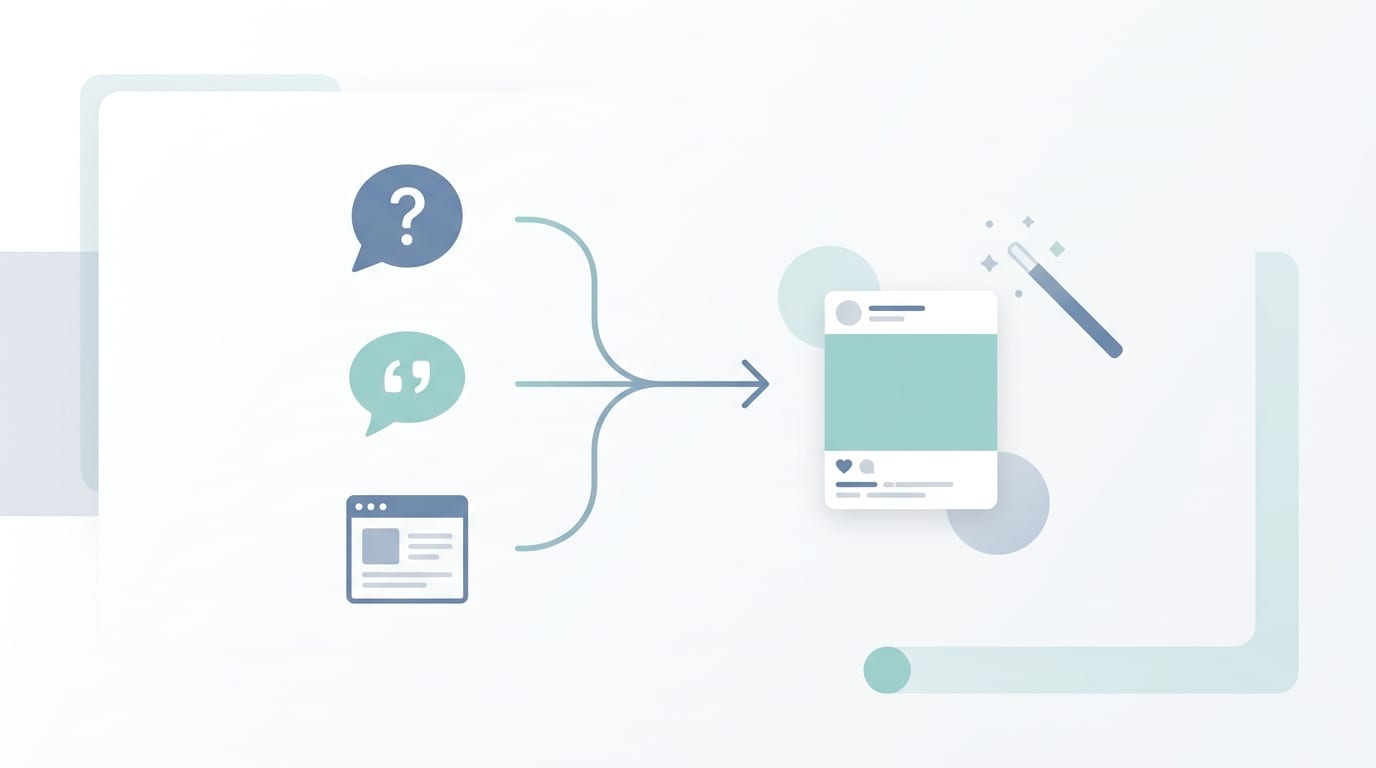
Random repurposing is better than no repurposing, but a repeatable workflow is where the magic happens. The goal is to create a simple system that turns website content to social posts every week without requiring a dramatic meeting titled “What Should We Post?”
Here is a practical weekly workflow:
- Pick one website source: Choose a blog post, service page, product page, FAQ page, or case study.
- Extract 5-10 key points: Pull headlines, tips, benefits, stats, examples, and quotes.
- Assign formats: Decide which ideas become captions, carousels, pins, threads, or questions.
- Customize by platform: Adjust length, tone, hashtags, image needs, and CTA.
- Create visuals: Use templates to keep everything branded.
- Schedule posts: Spread content across the week or month.
- Review performance: Track what gets engagement, clicks, comments, saves, or shares.
Repeat this with a different website page each week. Within a month, you may have repurposed your homepage, two blog posts, a FAQ page, and a case study into dozens of posts. That is not content chaos. That is content composting. Healthy, useful, and only slightly weird as a metaphor.
Content Generator can streamline almost every step. Its bulk content creation helps produce many posts from website sources. Its multi-platform support lets you plan for Pinterest, X, Instagram, Facebook, and LinkedIn in one workflow. Its advanced scheduling system helps you publish at the right times instead of manually posting between meetings like a stressed raccoon.
For scheduling specifically, you can explore the platform’s social media scheduling tools. When repurposing becomes part of your publishing system, consistency stops being aspirational and starts being operational.
Step 7: Schedule Evergreen Website Content Without Becoming Repetitive
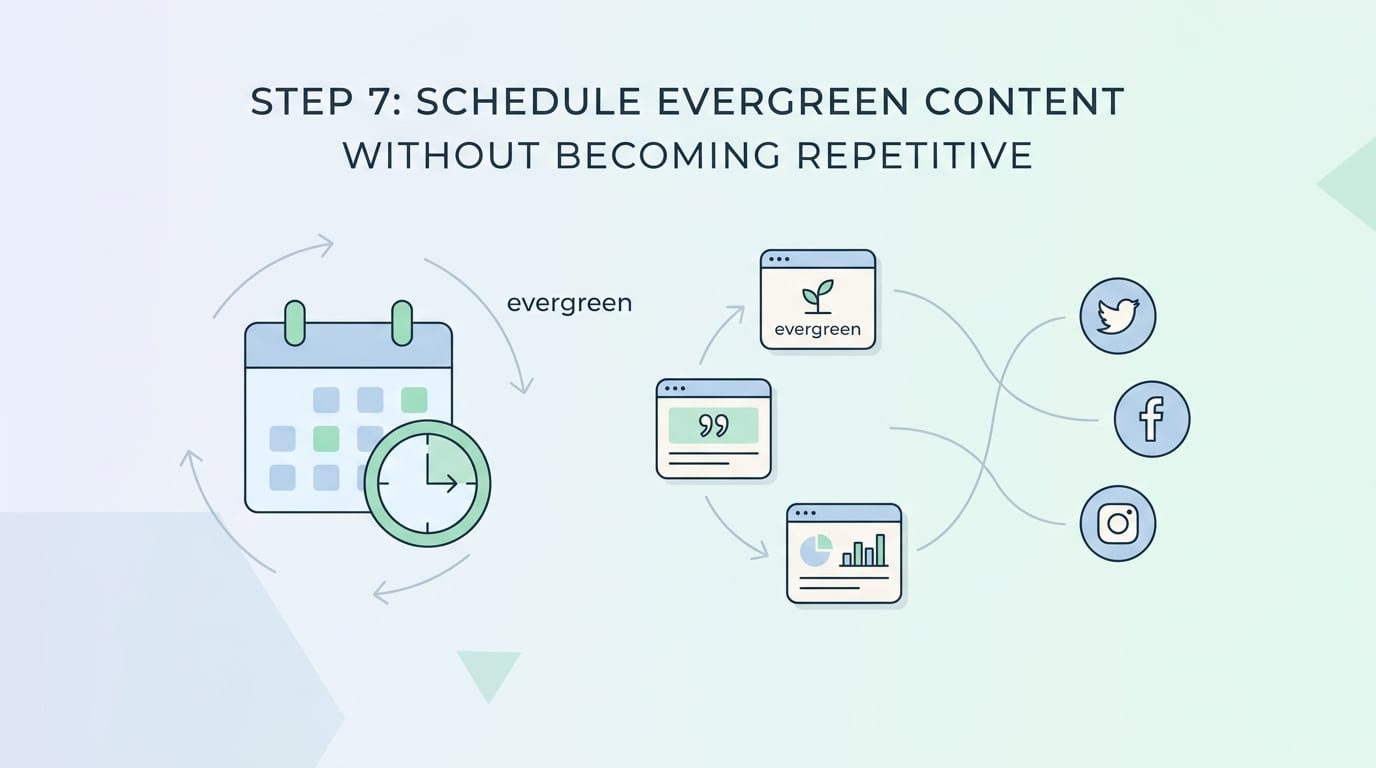
One of the biggest myths in social media is that every post must be brand new. Absolutely not. Evergreen content deserves to be reused. Your audience is not seeing every post. Algorithms are unpredictable. People are busy. Someone who missed your best tip in March might love it in May.
The key is to refresh the packaging. Use the same core idea, but change the angle, format, and wording.
Example evergreen idea: “Repurpose website content into social posts.”
- Version 1: Educational LinkedIn post about why repurposing saves time.
- Version 2: Instagram carousel showing a 5-step workflow.
- Version 3: Pinterest pin linking to a blog guide.
- Version 4: X post with a witty one-liner and quick tip.
- Version 5: Facebook question asking what content people struggle to reuse.
Same idea. Different delivery. No one gets bored. No one calls the content police.
Recurring scheduling is one of Content Generator’s most practical features. The platform can automatically create recurring content every 4 weeks, which is ideal for evergreen website pages, product features, educational tips, and brand messages. This means your best website content keeps circulating while you focus on strategy, customers, or finally organizing that desktop folder called “Final_Final_UseThisOne.”
Hootsuite notes in its social media posting frequency guide that optimal posting frequency varies by platform and audience, which is why scheduling and testing matter. Instead of guessing, use automation to post consistently, then review performance and adjust.
Step 8: Measure What Works and Feed the Winners Back Into Your Website
Repurposing should not be a one-way street. Yes, you turn website content into social posts. But your social performance can also tell you what website content deserves more attention. If a repurposed FAQ post gets tons of comments, maybe that question needs a full blog post. If a product benefit gets high engagement, maybe it should be more prominent on your homepage.
Track metrics based on post goals:
- Awareness: Reach, impressions, profile visits.
- Engagement: Likes, comments, shares, saves, replies.
- Traffic: Link clicks, referral traffic, landing page visits.
- Conversion: Signups, demo requests, purchases, leads.
Do not obsess over vanity metrics alone. A post with fewer likes but more clicks may be doing its job beautifully. A post with lots of comments may reveal audience pain points. A carousel with many saves may indicate that the topic is worth expanding into a downloadable guide, webinar, or new website section.
Social Media Examiner regularly emphasizes the importance of matching content to audience needs and platform behavior in its social media marketing resources. The best content systems are not “post and pray.” They are “publish, learn, improve, repeat, maybe snack.”
Content Generator supports this mindset by making creation and scheduling faster, so you have more time to evaluate what actually works. The value is not just speed. It is better allocation of your brain cells. Let automation handle repetitive content production. Let humans handle strategy, creativity, customer insight, and choosing the office playlist.
Common Mistakes When Repurposing Website Content
Repurposing is powerful, but it can go sideways if you treat social media like a copy-paste dumping ground. Here are the common mistakes to avoid.
Mistake 1: Copying Website Paragraphs Verbatim
Website copy is not automatically social copy. Social posts need hooks, pacing, context, and platform fit. Always adapt the content. Make it feel native to the channel.
Mistake 2: Posting the Same Thing Everywhere
Cross-platform publishing is efficient, but identical posts can feel awkward. A long LinkedIn caption may not work on X. A Pinterest description should be search-friendly. Instagram needs visual structure. Adjust accordingly.
Mistake 3: Only Promoting, Never Teaching
If every post says “Buy our thing,” people will run away digitally. Mix promotional posts with educational, entertaining, community, and trust-building content. Your website can support all of these categories.
Mistake 4: Ignoring Visuals
Visual content matters, especially on Instagram, Pinterest, and Facebook. Turn blog tips into graphics, quotes into branded images, and checklists into carousels. Content Generator’s template builder helps keep those visuals consistent without redesigning from scratch every time.
Mistake 5: Not Scheduling Ahead
If your workflow depends on remembering to post manually, your workflow is held together with tape and optimism. Use scheduling automation. Your future self deserves better.
Why Content Generator Is Built for This Exact Workflow
Let’s connect the dots. Turning website content to social posts requires extraction, rewriting, formatting, design, scheduling, and repetition. Doing all of that manually is possible, in the same way it is possible to wash clothes in a river. But we have machines now. Let us enjoy civilization.
Content Generator is designed specifically for businesses, creators, and marketers who want to create, schedule, and publish high-quality social posts across multiple platforms quickly. It is especially useful for website-based repurposing because it combines the key pieces in one place:
- Website scraping: Pull content from your site and convert it into post ideas without endless copying and pasting.
- Bulk content creation: Generate multiple posts at once from website pages, CSV files, or imported content.
- AI text generation: Create captions, hooks, and variations for different platforms.
- AI image generation: Use Google Gemini-powered visuals to support posts.
- Template builder: Keep designs consistent with custom templates.
- Multi-platform support: Publish to Pinterest, X, Instagram, Facebook, and LinkedIn.
- Advanced scheduling: Plan posts ahead and automate recurring content every 4 weeks.
That combination is what makes the platform a no-brainer for website-to-social workflows. It saves time, improves consistency, reduces manual effort, supports quality, and helps you turn existing assets into ongoing visibility. You are not just making posts faster. You are building a repeatable content engine.
If you want to test the workflow directly, the Content Generator post generation tool is the most relevant place to start. Feed it your website content, generate platform-ready posts, and watch your blank calendar become significantly less rude.

Conclusion: Your Website Is Already a Social Media Content Machine
You do not need to chase content ideas like a squirrel with a deadline. Your website already contains the raw material for weeks—or months—of social posts. Blog posts can become carousels. FAQs can become educational captions. Testimonials can become trust-building stories. Product pages can become benefit-led posts. Headlines can become hooks. Evergreen sections can become recurring scheduled content.
The winning formula is simple: extract the best website content, reshape it for each platform, write captions that sound human, create visuals that match your brand, schedule everything consistently, and measure what works. That is how you turn website content to social posts without burning out, boring your audience, or forming an unhealthy emotional attachment to your content calendar.
And if you would rather not do all of that manually—reasonable, wise, very adult—Content Generator is built to automate the headache. With website scraping, bulk creation, AI-generated text and images, templates, multi-platform publishing, and recurring scheduling, it turns your website into a steady stream of social content in seconds, not hours.
Your next step: pick one website page today and turn it into five posts. Or let Content Generator do the heavy lifting while you sip coffee and pretend you are “reviewing strategy.” Either way, your website is ready. Time to make it social.

