
Website product extraction sounds like something a robot in a tiny lab coat would do while muttering about SKUs. In reality, it’s one of the most useful workflows for ecommerce teams, marketers, agencies, creators, and anyone who has ever looked at a product catalog and thought, “Cool, now I need to turn 400 of these into social posts before lunch.”
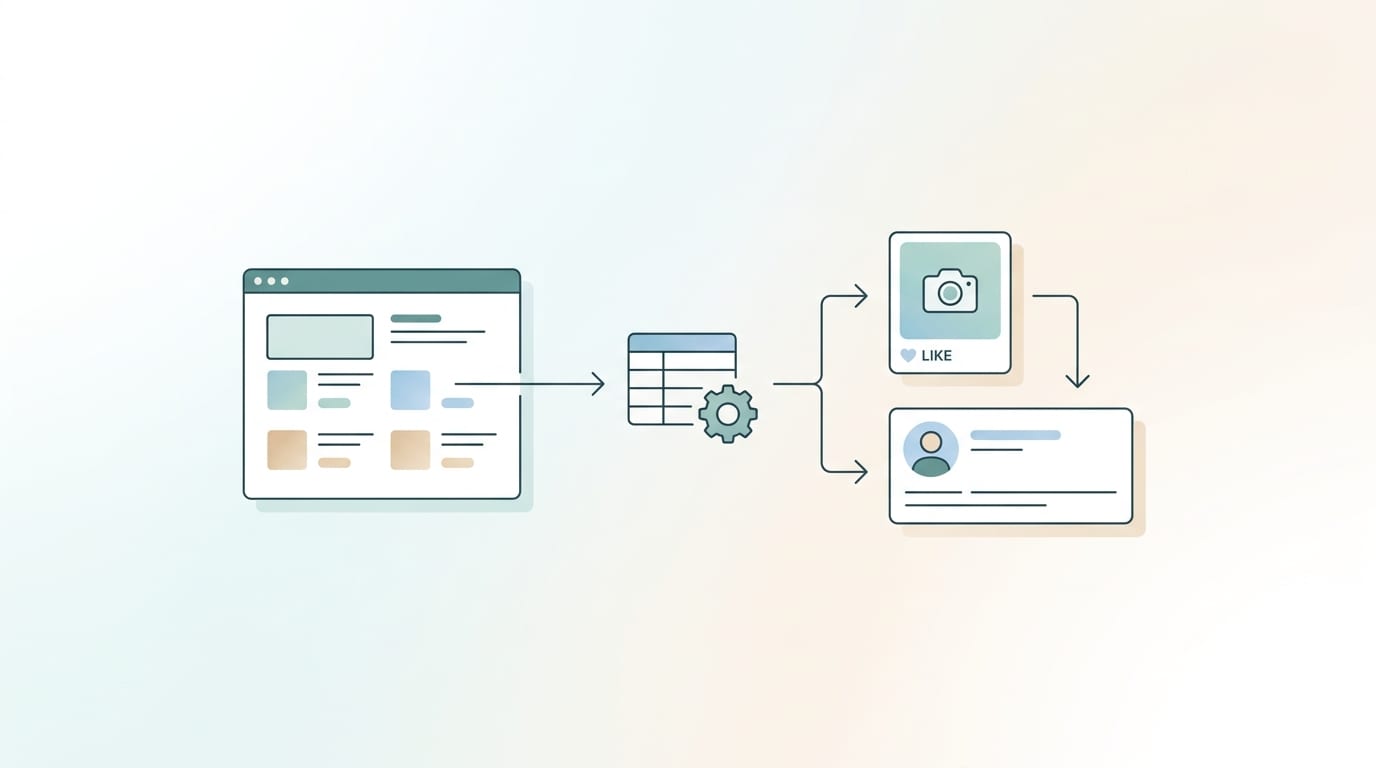
At its simplest, website product extraction means collecting product information from a website—names, prices, images, descriptions, categories, URLs, variants, availability, and other useful bits—and turning that messy web data into structured output you can actually use. Think CSV files, spreadsheets, product feeds, content calendars, social media posts, ads, comparison tables, or internal databases. The web is full of product data. The trick is getting it out cleanly without turning your afternoon into a spreadsheet-themed horror movie.
This guide walks through the practical side: methods, tools, cleaning steps, ethical rules, common problems, and how to turn extracted product data into marketing content fast. And yes, we’ll talk about how Content Generator makes this whole thing dramatically less painful by helping you scrape website product details and transform them into scheduled social media content across Pinterest, X, Instagram, Facebook, and LinkedIn. Because manually copying product descriptions one by one is not “hustle.” It is digital soup with extra suffering.
What Is Website Product Extraction, Really?
Website product extraction is the process of collecting product-related data from web pages and converting it into a structured format. This can be done manually, semi-automatically with browser extensions, or automatically using scraping tools, APIs, feeds, or specialized software.
The extracted data usually includes:
- Product title or name
- Product URL
- Price and discount price
- Product images
- Description and specifications
- Brand, category, and tags
- SKU, barcode, or product ID
- Stock availability
- Ratings and reviews
- Variants such as color, size, quantity, or material
For ecommerce businesses, this data can power comparison pages, merchandising workflows, inventory checks, competitor monitoring, affiliate content, product feeds, and marketing campaigns. For agencies, website product extraction can help build client campaigns without begging someone named Kevin in operations for “the latest spreadsheet” that was last updated during the Bronze Age.
For marketers specifically, extracted product data becomes raw material for content. A product title becomes a post headline. A feature list becomes a carousel. A description becomes a caption. A product image becomes a Pinterest pin. A discount becomes a promotional campaign. This is exactly why Content Generator’s workflow is so useful: it turns website product data into social-ready content instead of leaving you with a sad CSV and a caffeine dependency.
If your main goal is repurposing website product information into posts, you may also want to read this related guide on turning website products into social media content, which goes deeper into the content creation side.
Why Product Extraction Matters: The Spreadsheet Goblin Must Be Defeated
Product data is everywhere, but usable product data is rare. Most websites are designed for humans, not spreadsheets. That means product details are scattered across pages, hidden inside tabs, loaded through JavaScript, wrapped in inconsistent HTML, or trapped behind pagination like a boss fight.
Website product extraction matters because it saves time, improves consistency, and unlocks automation. Instead of manually copying product details, teams can extract hundreds or thousands of items and prepare them for publishing, analysis, or campaign planning.
Here are a few real-world use cases:
- Ecommerce marketing: Extract products from your store and generate promotional posts in bulk.
- Competitor research: Monitor competitor pricing, inventory, and product descriptions.
- Affiliate publishing: Pull product information for comparison guides and roundups.
- Marketplace management: Standardize product data across multiple channels.
- Catalog transformation: Convert a website catalog into CSV, feed, or content calendar format.
- Social media automation: Turn product pages into recurring posts that keep your accounts active.
According to HubSpot’s marketing statistics, content creation remains one of the core activities for modern marketing teams, but producing content consistently is still a major challenge. Product extraction helps because it gives you a repeatable source of ready-to-use material. Your website is already full of content. You just need a better way to liberate it from its HTML cave.
That’s where platforms like Content Generator shine. Instead of extracting product details, cleaning them manually, writing posts one by one, designing graphics, and scheduling everything separately, you can use website scraping and AI-powered content generation to create bulk social posts in seconds. It’s not magic. It’s automation. But it does feel suspiciously wizard-like when it saves you five hours.
The Main Methods of Website Product Extraction
There are several ways to extract product data from a website. The right method depends on your technical skill, data volume, website structure, budget, and what you plan to do with the output.
1. Manual Copy and Paste
This is the old-school method. Open product page. Copy title. Paste into spreadsheet. Copy price. Paste. Copy image URL. Paste. Repeat until your soul leaves your body.
Manual extraction works for tiny jobs—maybe five or ten products. It’s simple, free, and requires no setup. But it is slow, error-prone, and nearly impossible to scale. If your catalog has more than a handful of products, manual copying becomes a productivity bonfire.
2. Browser Extensions and No-Code Scrapers
No-code scraping tools let non-developers select page elements visually and export product data to CSV or Google Sheets. These tools are useful for moderate tasks, especially when websites have consistent layouts.
They’re often good for:
- Extracting product listings from category pages
- Collecting titles, prices, and URLs
- Exporting small to medium datasets
- Running one-off competitor research projects
The downside? Dynamic websites, infinite scroll, anti-bot measures, and inconsistent layouts can confuse them. They also usually stop at extraction. You still need to clean, format, write copy, design creatives, and schedule content afterward. That’s a lot of “afterward.”
3. Custom Web Scraping Scripts
Developers often use Python libraries like Beautiful Soup, Scrapy, Playwright, or Selenium to scrape product data. This gives maximum flexibility. You can handle pagination, JavaScript rendering, authentication, structured data, custom parsing, and scheduled scraping jobs.
Custom scripts are powerful, but they require technical skill and maintenance. Websites change layouts. Selectors break. JavaScript gets spicy. Suddenly your scraper is collecting the footer copyright notice as the product price, and everyone is confused.
If you go this route, documentation from projects like Scrapy and Beautiful Soup is a good starting point. These are widely used tools for web data extraction and parsing.
4. APIs and Product Feeds
If the website provides an API, RSS feed, XML feed, JSON feed, or merchant feed, use it. Seriously. APIs are cleaner, more stable, and usually more ethical than scraping HTML pages. Many ecommerce platforms expose product feeds for Google Merchant Center, Meta catalogs, affiliate systems, or internal integrations.
Feeds are especially useful when you need:
- Updated prices and stock status
- Complete catalog data
- Structured fields
- Reliable recurring imports
- Integration with marketing or analytics systems
For social media workflows, product feeds are pure gold. Content Generator can help turn website, feed, or catalog data into social media content. If that’s your jam, check out this guide on using website feeds for social media automation.
Step-by-Step: How to Extract Product Data Without Summoning Chaos
A good website product extraction workflow is not just “grab stuff and hope.” It needs a plan. Otherwise, you end up with duplicate rows, missing images, weird prices, broken URLs, and descriptions that include “Add to cart Free shipping You may also like.” Deliciously useless.
Step 1: Define Your Goal
Start with the output. What do you need the product data for?
- Social media posts?
- Competitor pricing analysis?
- Product catalog migration?
- Affiliate comparison content?
- Inventory monitoring?
- Ad campaign creation?
If your goal is social media, you probably need title, image, product URL, price, short description, category, and maybe promotional angle. If your goal is competitor monitoring, you need price, availability, date extracted, and product identifiers. If your goal is catalog migration, you need every field you can get your tiny data-loving hands on.
Step 2: Map the Website Structure
Look at the site before extracting. Identify the page types:
- Homepage
- Category pages
- Search result pages
- Product detail pages
- Pagination or infinite scroll
- Variant selectors
Some data appears on listing pages, such as title, price, image, and product URL. Other data appears only on product detail pages, such as full descriptions, specifications, review counts, and variants. A good extraction process often starts with category URLs, collects product links, then visits each product page for deeper details.
Step 3: Choose Your Extraction Method
Pick the lightest method that meets your needs. Don’t build a custom scraping system if a product feed already exists. Don’t manually copy 900 products unless you are training for the Spreadsheet Olympics.
For marketers who want social posts from products, Content Generator is usually the practical route. It’s built around bulk content creation from website scraping, AI-powered text generation, image generation, templates, and scheduling. That means the extraction is connected to the actual marketing output—not just dumped into a file and abandoned like a gym membership in February.
Step 4: Extract a Small Test Batch
Before extracting everything, test 10 to 20 products. Review the output carefully:
- Are prices formatted correctly?
- Are product images valid and high quality?
- Are descriptions clean?
- Are URLs absolute, not relative?
- Are variants captured properly?
- Are there duplicate products?
This small test saves big headaches. It is much easier to fix extraction logic before you have 12,000 broken rows glaring at you from a spreadsheet.
Step 5: Run the Full Extraction
Once the test looks good, run the full extraction. If you’re scraping at scale, use reasonable request rates, respect robots.txt where applicable, and avoid hammering servers. More on ethics shortly, because yes, the internet has rules, and “but I wanted the data” is not a legal strategy.

Cleaning Product Data: Because Raw Scraped Data Is a Goblin Picnic
Raw extracted product data is rarely perfect. Cleaning is where you turn “web page confetti” into structured output.
Common cleaning tasks include:
- Removing duplicate products
- Standardizing price formats
- Converting relative URLs to full URLs
- Removing HTML tags from descriptions
- Trimming whitespace and weird characters
- Normalizing categories and tags
- Validating image URLs
- Splitting variants into separate fields
- Removing boilerplate text like shipping notices or “related products”
For example, a scraped price might appear as “$29.99Sale$19.99” or “From 49 USD.” You need to decide whether to store original price, sale price, currency, and price prefix separately. Product descriptions may contain extra navigation text. Image URLs may be lazy-loaded and stored in attributes like data-src instead of src. Fun? No. Important? Very.
Data cleaning is especially important when the final destination is public-facing content. If your social post says “Buy now Add to cart SKU: 8842 Breadcrumb Home > Shoes,” people will not think, “What a bold artistic choice.” They will think your marketing robot got into the printer ink.
This is another spot where Content Generator helps. Its AI-powered text generation can turn extracted product details into clean, platform-friendly captions. Instead of dumping raw descriptions onto social media, you can generate polished copy tailored for Pinterest, Instagram, LinkedIn, Facebook, or X. Need 200 product posts? Great. Need recurring content every four weeks? Also great. Need to not cry into a CSV? Spectacular.
Turning Extracted Product Data Into Social Media Content
Extracting product data is useful. Turning it into content is where the money goblin starts smiling.
Once you have structured product data, you can create:
- Product highlight posts
- New arrival announcements
- Sale and discount posts
- Category roundups
- Feature-focused captions
- Pinterest product pins
- Instagram carousel ideas
- LinkedIn product updates for B2B companies
- Facebook shop promotions
- X posts for quick launches or limited-time deals
Social platforms reward consistency, but consistency is hard when every post begins with “open product page, stare blankly, write something clever.” According to Sprout Social’s guidance on social media content strategy, brands need a structured approach to content planning, audience engagement, and publishing cadence. Product extraction gives you the raw material for that structure.
Content Generator takes this further by combining extraction with creation and scheduling. You can pull product data from your website, generate AI-written captions, create visuals using Google Gemini-powered image generation, apply reusable templates, and schedule posts across multiple platforms. That is the difference between “I have data” and “I have a month of content ready to publish.”
If you are working with a full catalog, this article on turning a website catalog into social media posts is a useful next read. It explains how catalog-based automation can support ongoing campaigns instead of one-off posting marathons.
Best Tools for Website Product Extraction and Output Preparation
The best tool depends on what you need after extraction. Some tools are great at scraping. Others are great at cleaning. Others are great at publishing. The real win is reducing handoffs between tools, because every handoff is a chance for chaos to put on tap shoes.
For Technical Scraping
Developers may prefer frameworks like Scrapy, Beautiful Soup, Playwright, or Selenium. These are ideal for custom extraction, large datasets, complex workflows, and internal systems. They require coding, testing, hosting, and maintenance.
For No-Code Extraction
No-code scraping platforms and browser extensions are helpful for visual selection and quick exports. They are useful when teams need product lists but do not have engineering resources. However, you may still need separate tools for cleaning, writing, designing, and scheduling.
For Marketing Automation
If your goal is marketing content, Content Generator is the more direct path. It is not just about extracting product data; it’s about transforming website data into publishable social content. Key features include:
- Bulk content creation from website scraping
- AI-powered text generation for captions and post copy
- AI image generation powered by Google Gemini
- Template builder with custom designs
- CSV file import for structured product data
- Scheduling across Pinterest, X, Instagram, Facebook, and LinkedIn
- Automated recurring content every four weeks
Look, I’ll be real with you: if you only need raw data, a scraper may be enough. But if you need product data converted into actual marketing output, Content Generator is the no-brainer because it connects the workflow end to end. Extract. Generate. Design. Schedule. Publish. Repeat. No ceremonial spreadsheet chanting required.
You can also explore how automated website sharing works in this related post on automated website social sharing.
Ethical and Legal Tips: Don’t Be the Villain Bot
Website product extraction can be legitimate and useful, but it needs to be done responsibly. The goal is to collect data in a way that respects website owners, users, laws, and platform rules.
Here are practical guidelines:
- Check the website’s terms of service before scraping.
- Review robots.txt and respect crawl preferences when appropriate.
- Do not overload servers with aggressive request rates.
- Avoid scraping personal data unless you have a lawful basis and clear compliance process.
- Do not bypass logins, paywalls, CAPTCHAs, or technical restrictions without permission.
- Use official APIs or feeds when available.
- Attribute sources when required.
- Be careful with copyrighted product descriptions and images.
Product data may include factual information like price and availability, but descriptions, photos, reviews, and branding assets can be protected by copyright or licensing terms. If you are extracting from your own website, you’re usually in a much safer zone. If you are extracting competitor or third-party data, slow down and understand the rules.
For privacy and compliance context, the GDPR information portal is a useful reference for understanding European data protection basics. For technical crawling norms, Google’s documentation on robots.txt and crawler access explains how websites communicate crawl preferences.
Ethical extraction is not just about avoiding legal trouble. It is also about sustainability. A responsible workflow is less likely to get blocked, break relationships, or create brand risk. Nobody wants their marketing campaign remembered as “that time we accidentally DDoS’d a boutique candle store.”
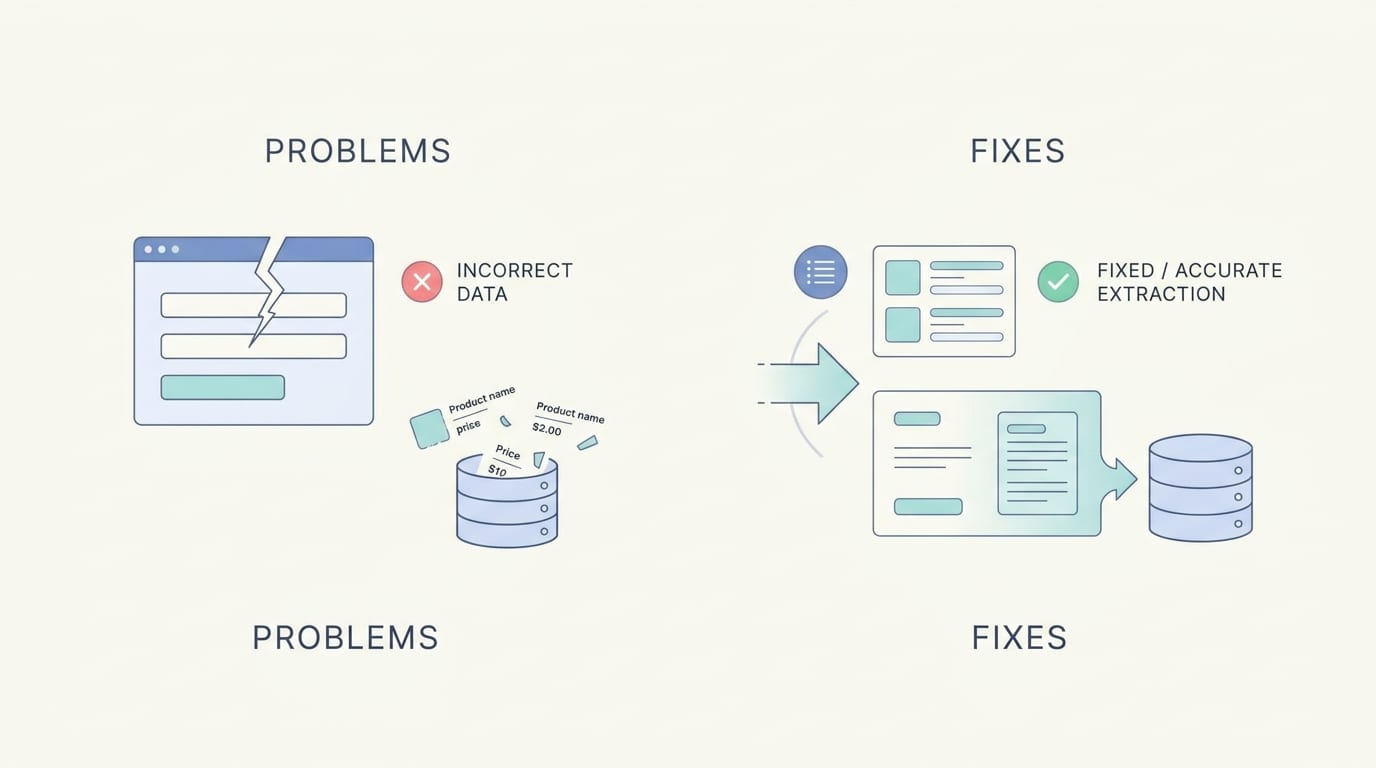
Common Website Product Extraction Problems and How to Fix Them
Even with good tools, product extraction can get weird. Websites are not always tidy. Some are built beautifully. Others appear to have been assembled during a thunderstorm by raccoons with JavaScript access.
Problem: JavaScript-Loaded Products
Many ecommerce sites load products dynamically after the page opens. Basic scrapers may see an empty page because the product data appears only after JavaScript runs.
Fix: Use tools that support browser rendering, such as Playwright or Selenium, or look for underlying JSON data/API calls in the network tab. If the site has a product feed, use that instead.
Problem: Pagination and Infinite Scroll
Products may be spread across many pages or loaded as users scroll.
Fix: Identify the pagination pattern or API endpoint. Test whether page numbers, cursor parameters, or offset values control the product list. For infinite scroll, inspect network requests.
Problem: Duplicate Products
Duplicate rows can happen when products appear in multiple categories, collections, or search pages.
Fix: Deduplicate by canonical product URL, SKU, product ID, or normalized title plus brand. Always keep a unique identifier when possible.
Problem: Missing Images
Images may be lazy-loaded, stored in data attributes, or served through a CDN with transformed URLs.
Fix: Inspect image elements for srcset, data-src, data-original, or JSON-LD structured data. Validate image URLs before using them in campaigns.
Problem: Messy Descriptions
Descriptions often include tabs, shipping text, warranty snippets, or HTML fragments.
Fix: Strip tags, remove boilerplate phrases, and use AI rewriting to turn messy text into concise captions. Content Generator’s AI text generation is especially handy here because it can transform raw product details into polished social media copy without sounding like a toaster wrote it.
Recommended Output Formats for Product Extraction
Structured output is the whole point. If your extracted data is not usable, you have merely relocated the mess.
Common output formats include:
- CSV: Best for spreadsheets, imports, bulk editing, and Content Generator workflows.
- JSON: Best for developers, APIs, nested data, and automation systems.
- XML: Common for feeds and legacy integrations.
- Google Sheets: Useful for collaboration and manual review.
- Database tables: Best for large-scale recurring extraction and analysis.
For marketing teams, CSV is often the easiest bridge. You can extract product data, review it, edit fields if needed, then import it into tools like Content Generator for bulk post creation. This gives you control without forcing everyone to learn Python or speak fluent JSON before breakfast.
A practical CSV for social media might include columns like:
- product_name
- product_url
- image_url
- price
- category
- short_description
- key_benefit
- call_to_action
- platform
- scheduled_date
Once structured, this data becomes incredibly reusable. You can create posts, pins, ads, email blocks, landing page sections, or product roundups. If you want broader ideas for transforming website data into marketing assets, see this guide on converting website data into social media content.
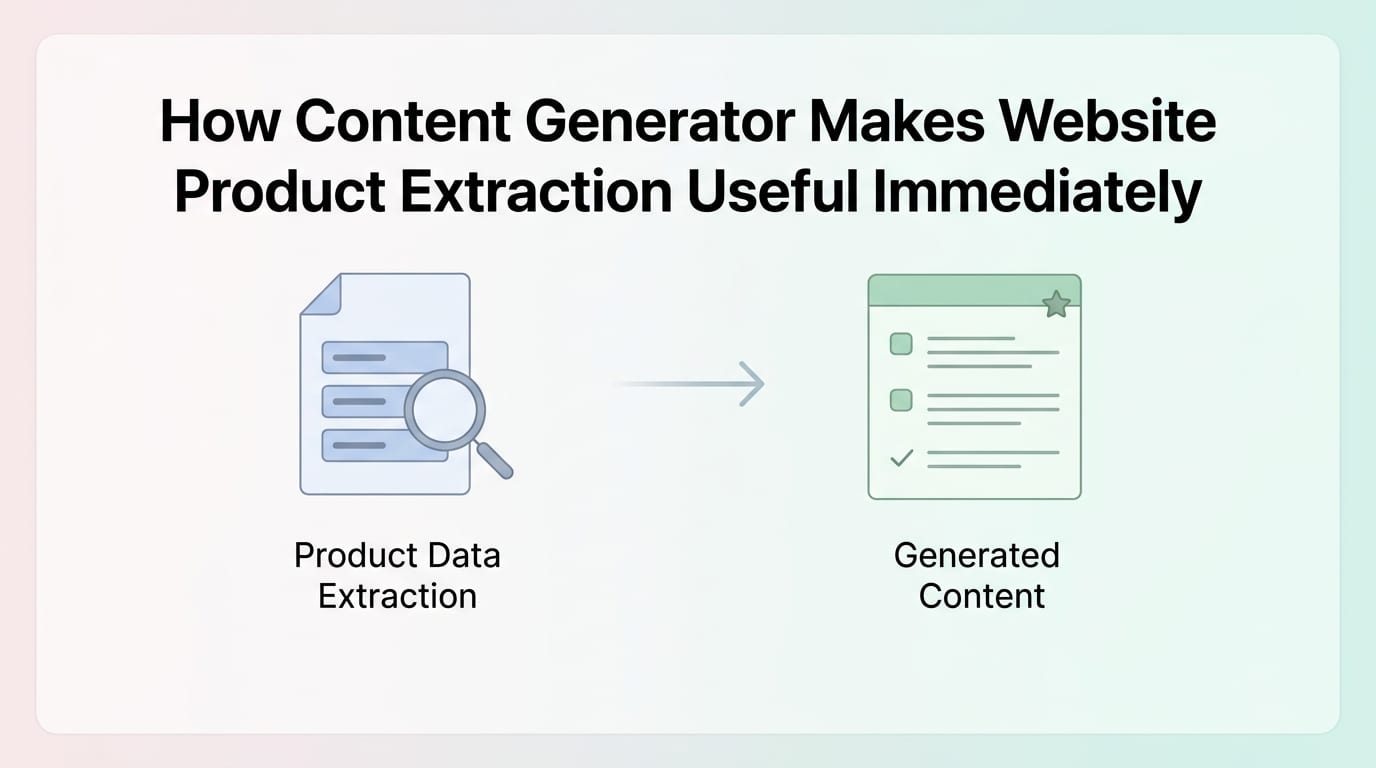
How Content Generator Makes Website Product Extraction Useful Immediately
Here’s the kicker: extraction alone does not grow your social presence. Publishing valuable content consistently does. That’s why Content Generator focuses on the full workflow, not just the data grab.
Content Generator helps businesses, creators, and marketers turn product information from websites into finished social media posts. Instead of juggling a scraper, spreadsheet, copywriting tool, design tool, scheduler, and a quiet sense of doom, you can manage the process in one automation-friendly workflow.
Five practical reasons to use Content Generator for website product extraction workflows:
- It saves serious time. Bulk creation means you can generate posts from many products at once instead of writing each caption manually.
- It keeps content consistent. Templates and AI-generated copy help maintain brand voice across platforms.
- It supports multiple channels. Publish to Pinterest, X, Instagram, Facebook, and LinkedIn without rebuilding everything from scratch.
- It turns raw data into polished posts. Product titles and descriptions become platform-specific captions, visuals, and calls to action.
- It automates recurring content. With recurring content every four weeks, your product catalog can keep working for you instead of gathering digital dust.
The template builder is especially useful for ecommerce brands. You can create branded layouts for product highlights, sales, seasonal collections, and category features. Then product extraction feeds those templates with real data. The result: consistent, attractive posts that do not require redesigning every single time. If you want to explore that side, the Content Generator template builder is built exactly for this kind of repeatable creative workflow.
And because scheduling is built in, you can move from extracted product data to a complete publishing calendar. No more “we should post more” meetings. Just posts, scheduled and ready, like responsible little marketing ducks in a row.
Best Practices for Reliable Website Product Extraction
To make your extraction workflow dependable, follow a few boring-but-powerful habits. Boring things often make money. Ask accounting.
- Start with a sample. Always test before extracting at scale.
- Store source URLs. They help with validation, updates, and troubleshooting.
- Use unique IDs. SKUs or product IDs prevent duplicates and confusion.
- Keep timestamps. Prices and availability change, so record when data was extracted.
- Validate required fields. Flag missing titles, prices, images, or URLs.
- Separate raw and cleaned data. Keep the original extraction in case you need to audit or reprocess.
- Document your process. Future-you deserves kindness.
- Automate only after cleaning works. Bad automation makes mistakes faster. Very impressive, very terrible.
Also, think in campaigns rather than rows. A product extraction project should connect to a business outcome: more social content, better product visibility, faster campaign launches, improved competitor insight, or cleaner catalog management. Data for data’s sake is just digital clutter wearing a tie.
For social media teams, this means planning how extracted products map to content types. Best sellers might become weekly highlights. New arrivals might become launch posts. Discounted items might become urgency campaigns. Evergreen products might rotate automatically every four weeks through Content Generator’s recurring scheduling. That is how website product extraction becomes a growth engine instead of a one-time export.
Conclusion: Extract the Products, Not Your Remaining Patience
Website product extraction is one of those workflows that sounds technical until you realize the goal is simple: get product information out of web pages and into a format you can use. Whether you need CSVs, feeds, competitor insights, product catalogs, or social media posts, the process comes down to choosing the right method, extracting responsibly, cleaning the data, and turning it into action.
The biggest mistake is stopping at extraction. A spreadsheet full of product data is useful, but it is not the finish line. The real value appears when that data becomes published content, scheduled campaigns, refreshed product promotions, or smarter marketing decisions.
That’s why Content Generator fits so naturally into website product extraction workflows. It helps you move from product pages to polished social posts with bulk creation, AI text generation, Google Gemini-powered image generation, custom templates, CSV import, multi-platform publishing, and recurring automation. In plain English: it helps your website feed your social channels without you manually wrestling every product into a caption.
If your product catalog is sitting on your website doing nothing after visitors leave, put it to work. Extract it. Clean it. Turn it into content. Schedule it. Let automation handle the repetitive bits while you focus on strategy, creativity, and maybe drinking coffee while it’s still hot. Wild concept, I know.
Ready to turn website product extraction into actual social media momentum? Start with your product pages, build a clean workflow, and let Content Generator do the heavy lifting before your spreadsheet develops a personality and asks for benefits.

